- Help Center > Company Setting・Organization Management > SSO・Provisioning > Okta > [Okta] Renew SSO Certificate
[Okta] Renew SSO Certificate
- Category :
Answer
Renew SSO certificate
Certificate Expiration
Certificate has an expiration date.
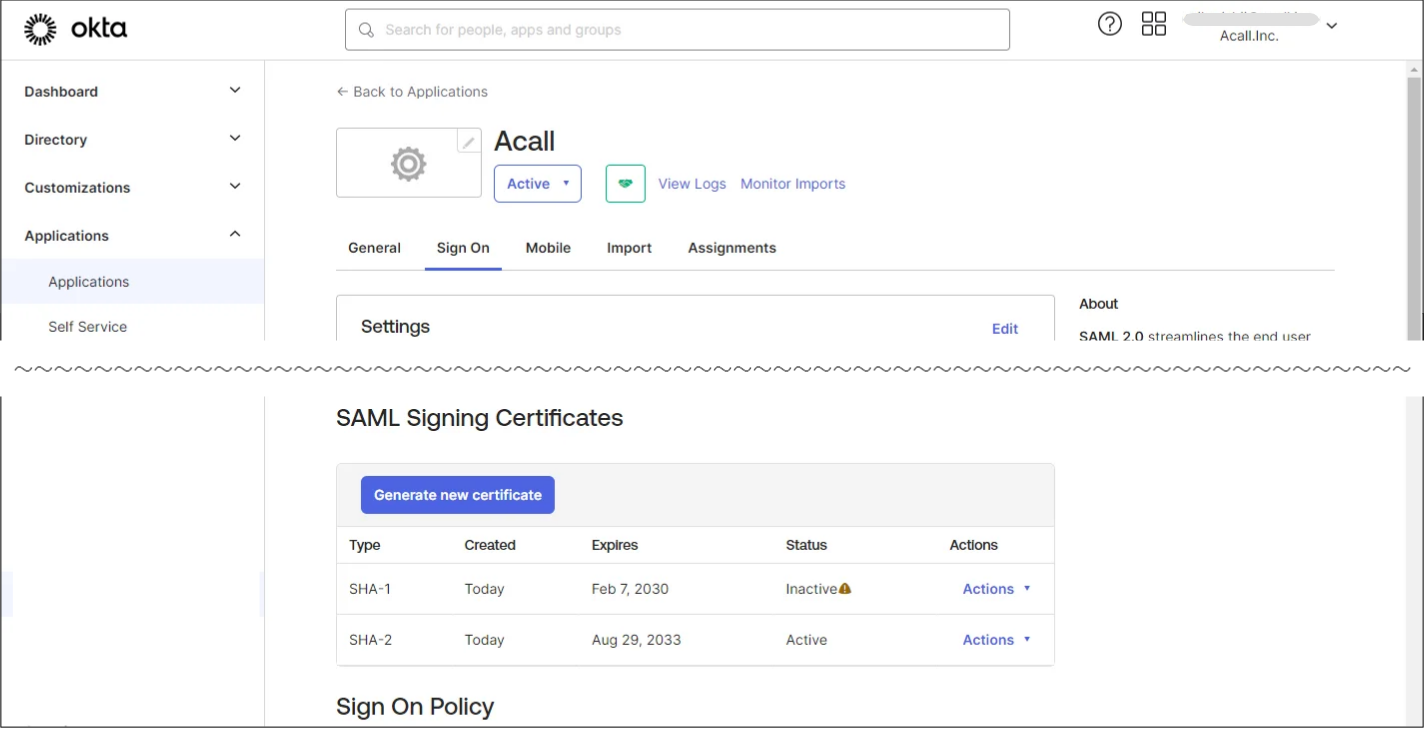
If certificate expires, you will be unable to log in to Acall.
You need to create a new certificate and replace it with the old one before the expiration date.

Expiration date of the certificate must be managed by the customer.
Acall does not manage or notify the date.
Renew Certificate
証明書の更新作業の流れは以下の通りです。
Preparation
-
Create new certificate for Acall application in Okta
-
Contact Acall via contact form with the following information
・Desired renewal time and date (weekdays (excluding Japan's public holidays) 10:00 ~ 16:00 JST)
・Metadata file for the new certificate
-
Acall will inform you of the determined renewal date.
Workflow On The Renewal Day
4. Activate the new certificate for Acall application in Okta
5. Acall will set up SSO
6. Test SSO login on Acall Portal or Acall Mobile
You will not be able to SSO login between Step 4 and Step 5.
Although it will take only a few minutes to complete Step 5 on Acall side, please consider the date and time to proceed renewal.
Below is the details of each step.
Create New Certificate (Step 1)
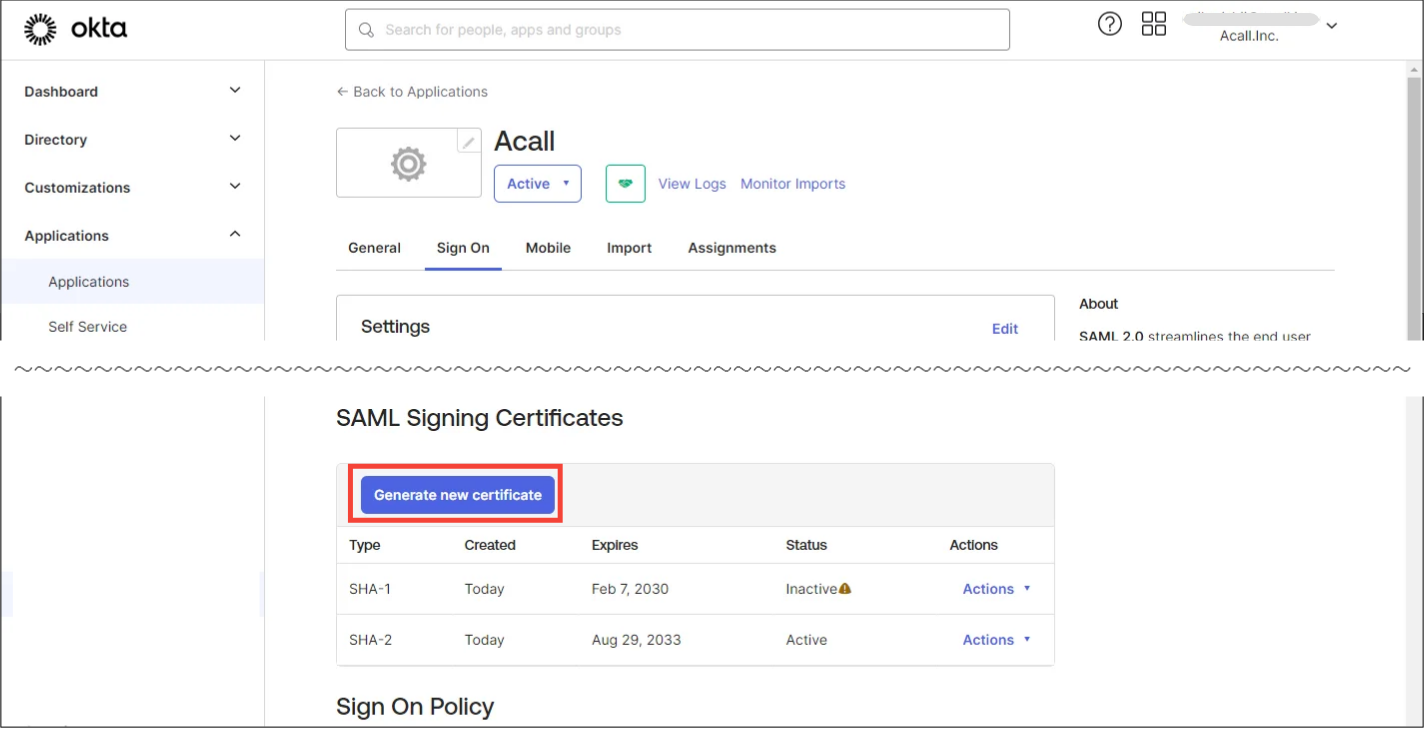
Open Acall SSO app and click [Sign On] tab.
Click [Generate new certificate] in “SAML Signing Certificates” section.
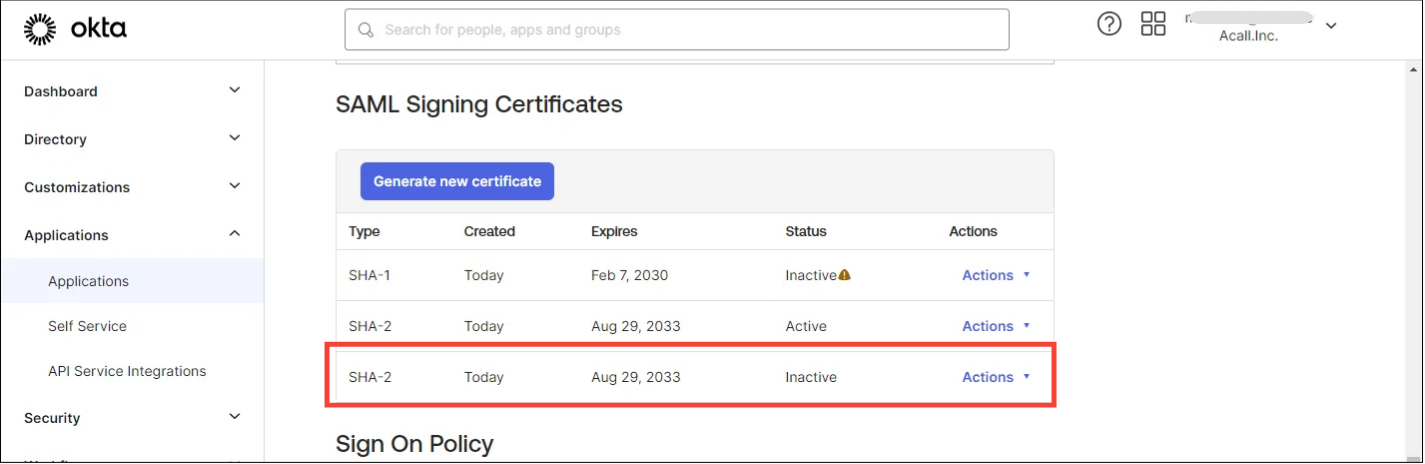
New certificate is added.
Find IDP Metadatafile for New Certificate (Step 2)
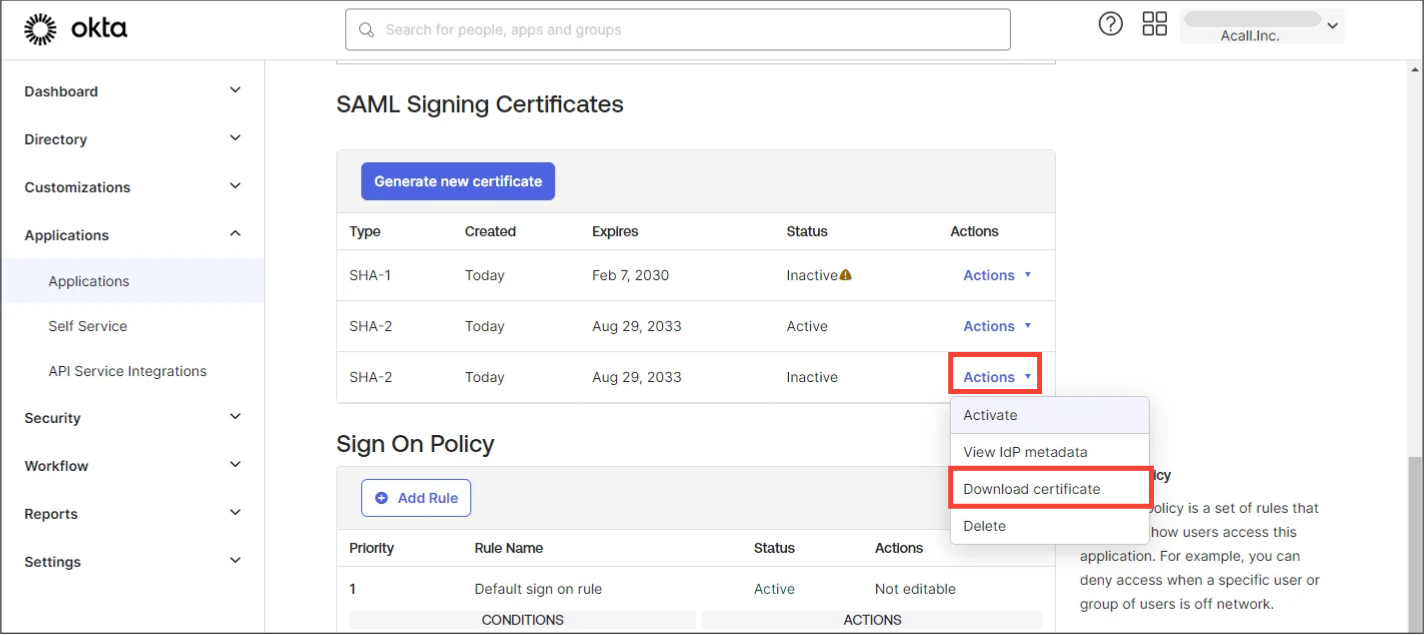
Click [Actions] > [Download certificate] for the new certificate and download.
Contact Acall with the downloaded certificate file.
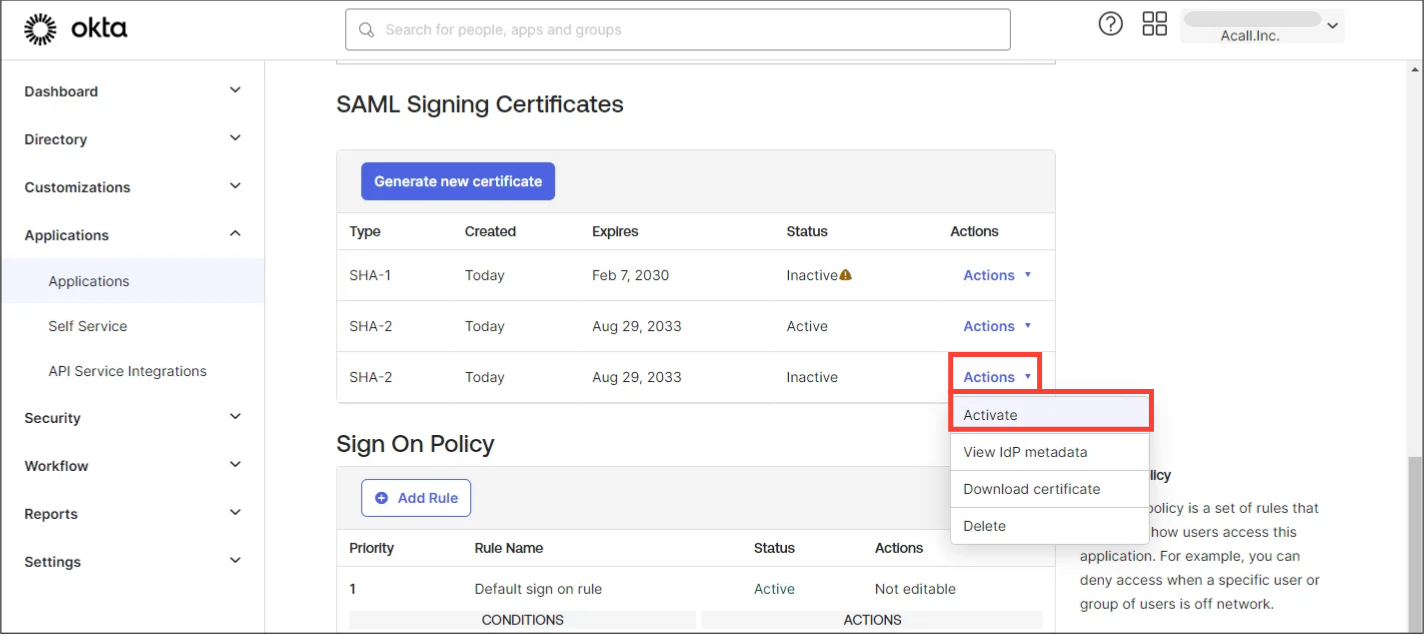
Activate New Certificate (Step 4)
Click [ Activate ] for the new certificate.
Certificate renewal is complete.
Please test SSO login.