
- Help Center > Multi-Tenant > Administrator > Multi-tenant Management > Register Shared Meeting Rooms in Multi-tenant Settings
Help Center
Register Shared Meeting Rooms in Multi-tenant Settings
- Category :
Answer
Contents
You can set up a reception desk and manage meeting rooms by linking multiple companies and facilities on a single floor or a building on Acall. This page explains how to register shared meeting rooms.
NOTE
・Multi-tenant admin needs to set up shared meeting rooms and facilities with [Use as Multi-tenant] in advance.
Link to a shared meeting room
To use a meeting room in multi-tenant settings, you need to link with a shared meeting room.
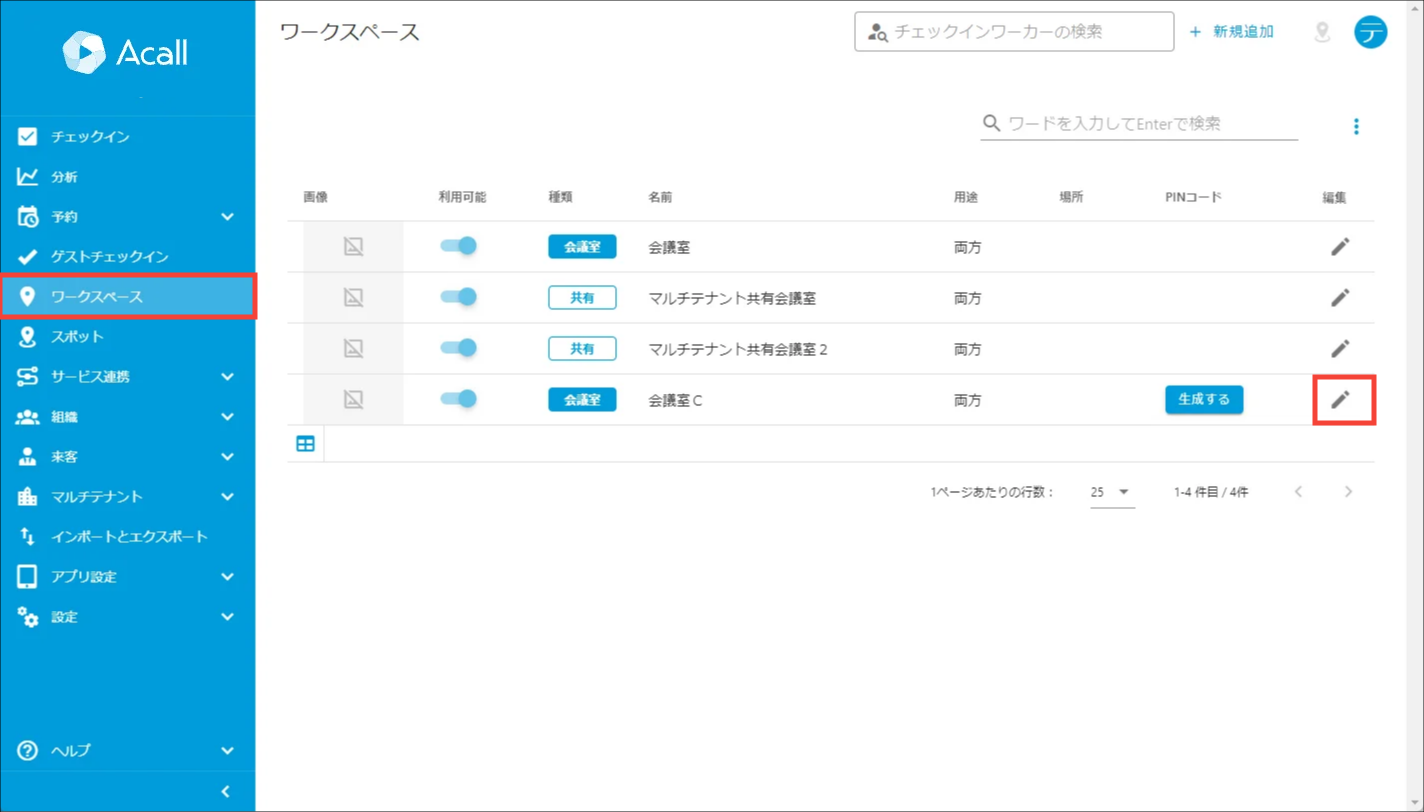
After logging in to Acall Portal, click [Workspaces] in the side menu and click edit icon of the workspace you want to have link settings and open edit screen.
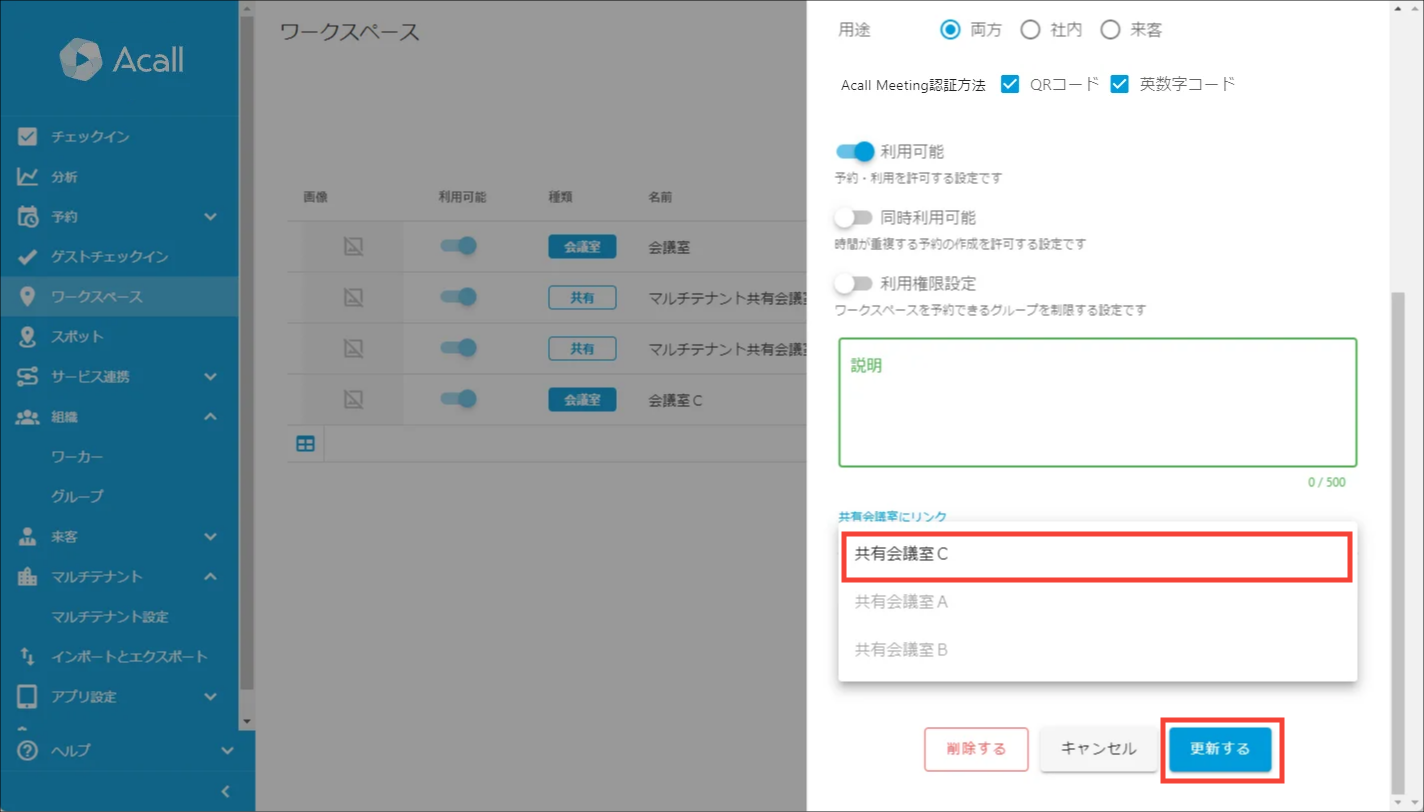
Select a pre-created shared meeting room from the [ Link to Shared Meeting Room ] pull-down and click [UPDATE].
Please refer to Multi-tenant Setting - Shared Meeting Room Setting」 for how to create shared meeting room.
"Shared" mark sign will be added to the Type column of the linked meeting room.

Once you linked, other tenants' reservations for the meeting room will also be displayed in the workspaces timeline.


