- Help Center > FAQ > Gate Module > How to Restart Gate Modules
How to Restart Gate Modules
- Category :
Answer
Contents
This page describes the following information including situation which gate module is disconnected from the network for any reason, or if the gate can no longer be unlocked.
- How to check the connection status of the gate module
- How to re-connect if it is not properly connected
About the gate module monitoring e-mail
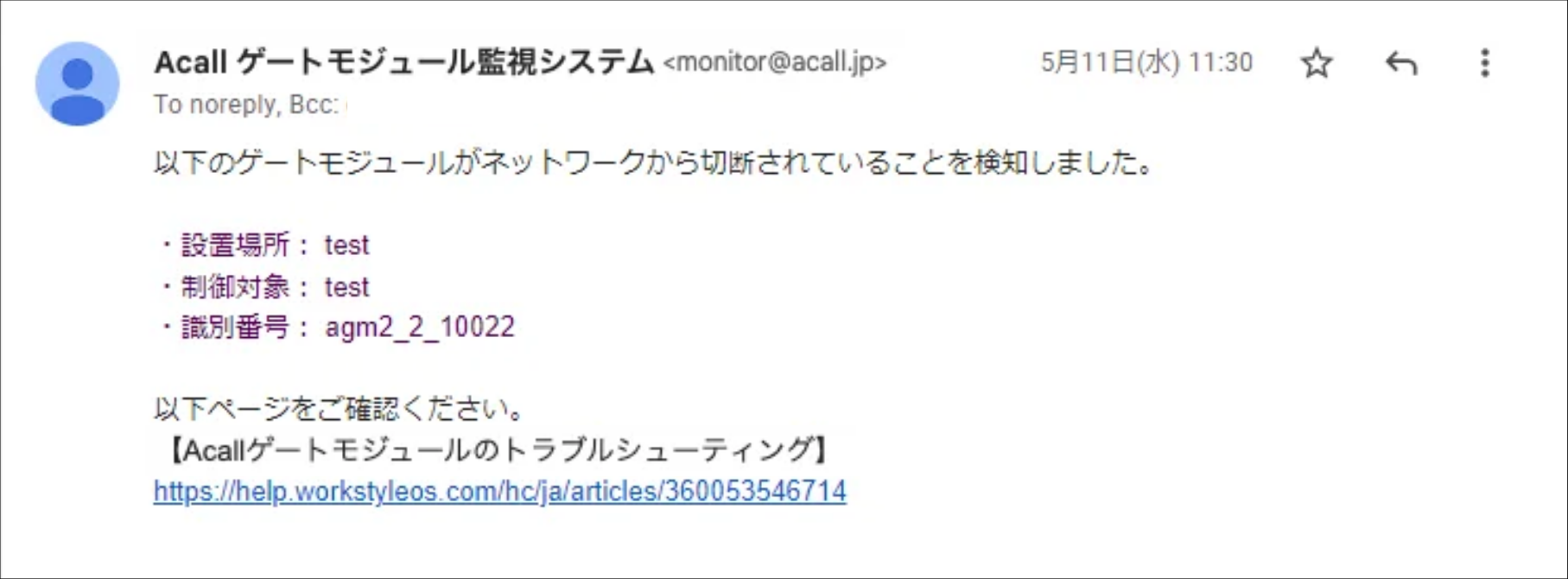
If the gate module is disconnected from the network, you will receive the following disconnection notification email
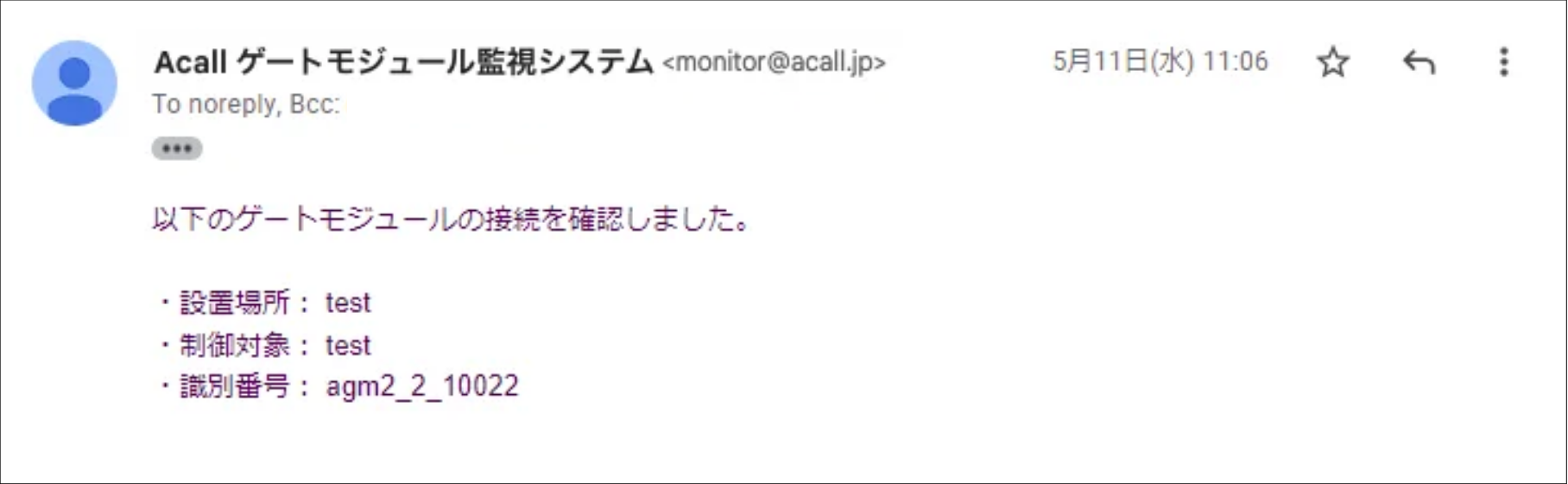
When the Gate Module reconnects to the network, you will receive the following reconnection notification email.
If any of the following cases happen, please follow the procedure on this page to reconnect the gate module.
- No reconnect notification email is received after the disconnect notification email is received (not automatically reconnected).
- No disconnect notification email has been received, but the gate cannot be unlocked.
Check the connection status of the gate module.
If the button flashes green, it is connected.
Even though the button is flashing, the gate cannot be unlocked or you have not received a reconnect notification email, contact Acall.
If the button does not flash, go to the next step "Reconnect the gate module".
Reconnect the gateway module
There are two versions of the Gate module.
The reconnection method is different based on the version, so please check your module.
Gate module (V2) Gate module (V3)
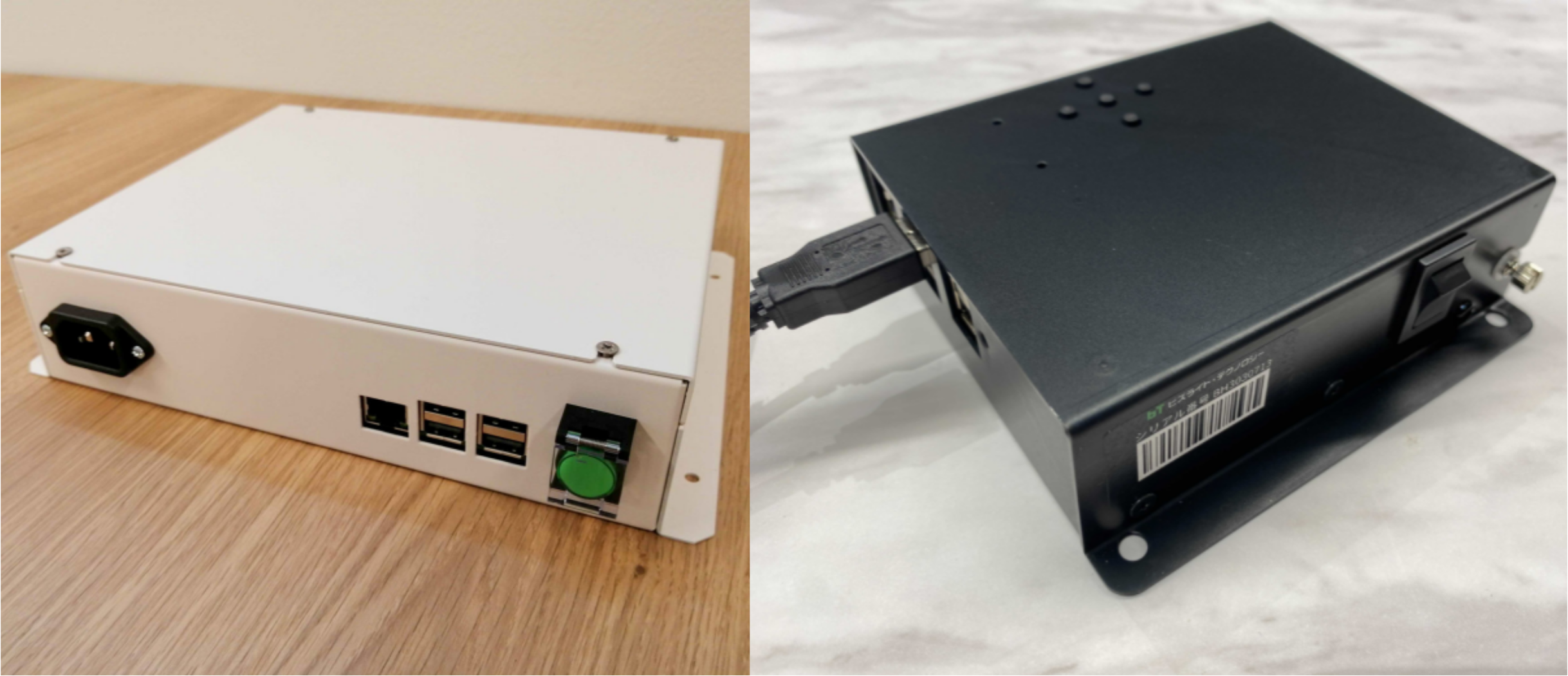
Gate module (V2)
Restart the gate module using the following procedure.
- Press and hold the green power button on the gate module for at least 5 seconds to turn it off.
- Disconnect the LAN cable and reconnect it firmly.
- Press the power button and when it flashes green, the reboot is complete.
- If you still cannot unlock the gate after the reboot, or if you do not receive the reconnect notification email, please contact us.
Gate module (V3)
Restart the gate module using the following procedure.
- Turn the power switch OFF.
- Wait 30 seconds after the green light turned off.
- Unplug the LAN cable and re-plug it firmly.
- Turn the power switch ON.
- Wait 3 minutes for the program to start.
- The reboot is complete when the button flashes green.
- If the gate cannot be unlocked after the reboot, or if you do not receive a reconnect notification email, please contact Acall.
Contact Acall
Please fill in the following information and Contact us.
| Item | Description |
| Your request / Reason |
Describe the status of the module (e.g. no flashing...). |
| Attached file | Please attach an email file with the subject "Acall Gate Module Monitoring System" or a screenshot of the email. |