- Help Center > FAQ > Meeting Room Check-in / Acall Meeting > Is there a way to turn off auto-cancel for all meeting rooms at once?
Is there a way to turn off auto-cancel for all meeting rooms at once?
- Category :
Answer
Contents
You can not turn off auto-cancel for all meeting rooms at once.
However, by setting a longer time for the auto-cancel time setting, you can practically disable the auto-cancel.
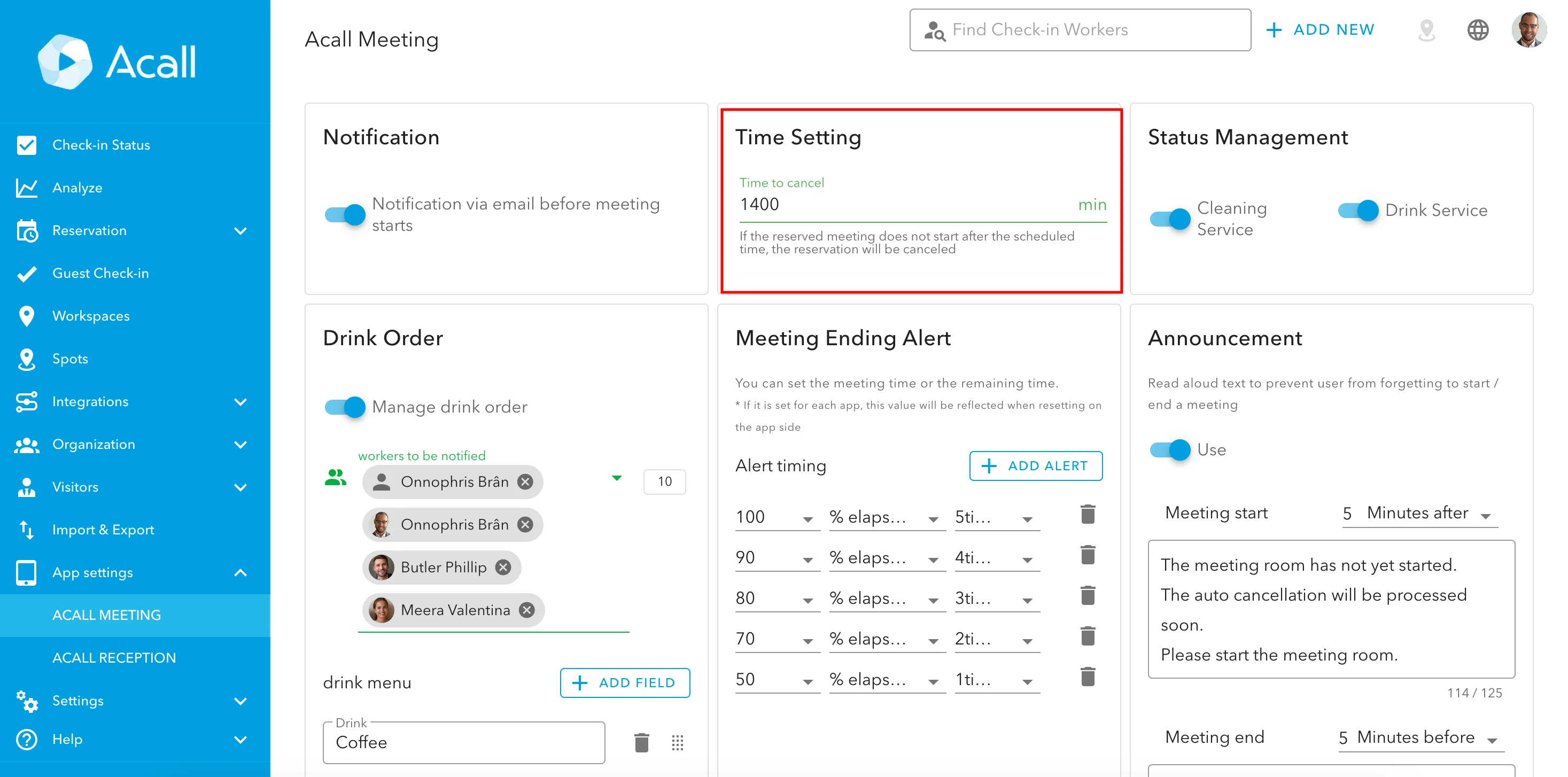
Click [App settings] > [Acall Meeting] in the side menu and set a longer time to "Time to cancel". ( eg, 23 hours 20 min = 1400 minutes)

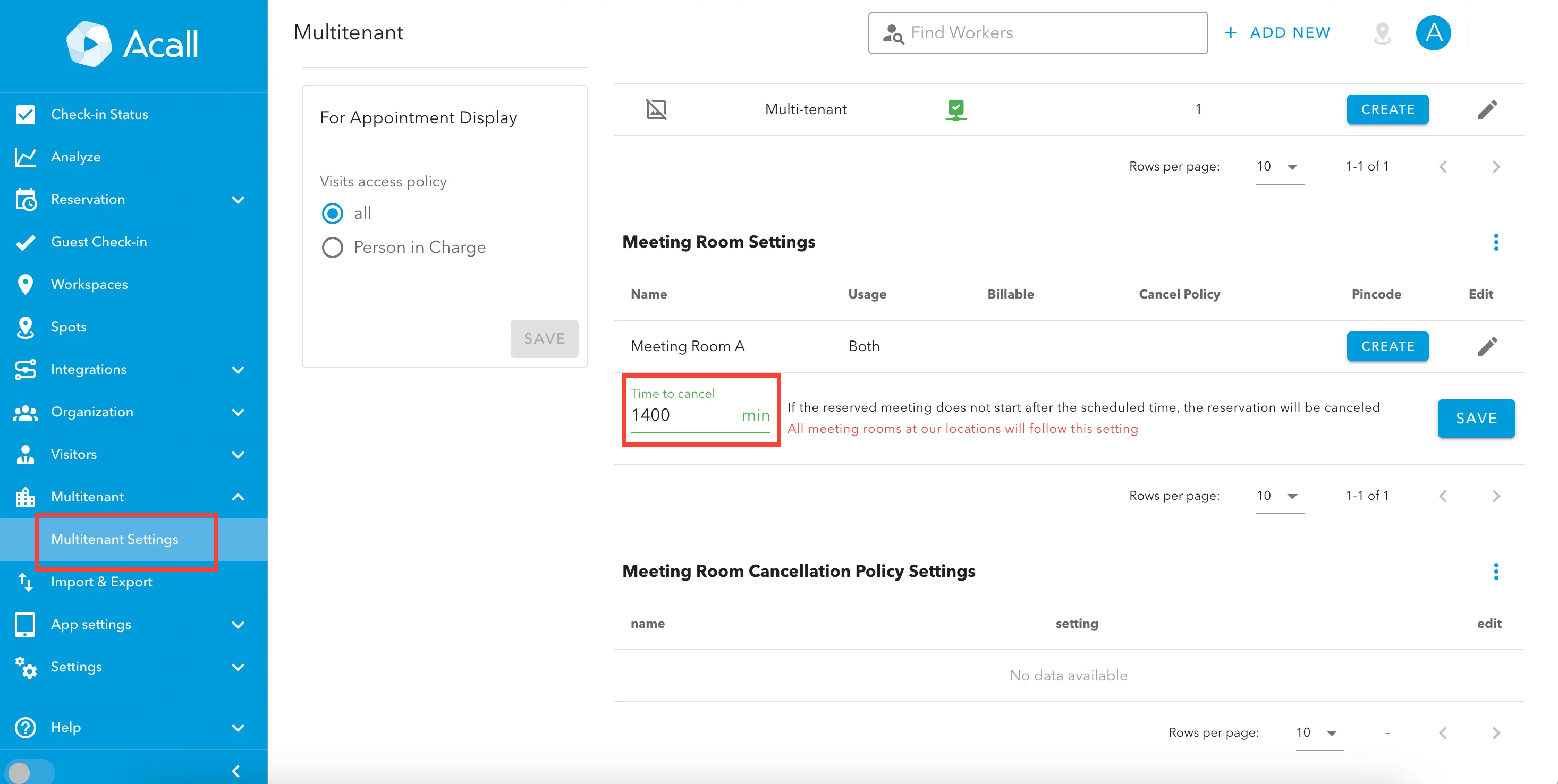
For customers using multi-tenant shared meeting rooms, the setting step is different.
Click [Multi-tenant] > [Multi-tenant Settings] and set the "Time to cancel" in the "Shared Meeting Room Settings".