- Help Center > Calendar Linking > Outlook > Create appointments/meetings on Outlook Calendar > Update Acall Outlook Add-in
Update Acall Outlook Add-in
Answer
Contents
This page explains how to check the version of Acall Office add-ins in Outlook and how to update.
 Note
Normally, the version is automatically updated when the add-in is relaunched.
If the version is not up-to-date due to browser or application cache, etc., you will need to update manually.
Check the version of Acall Office add-in in Outlook
Both the browser and desktop application versions, you can check the version at the bottom of the add-in screen.
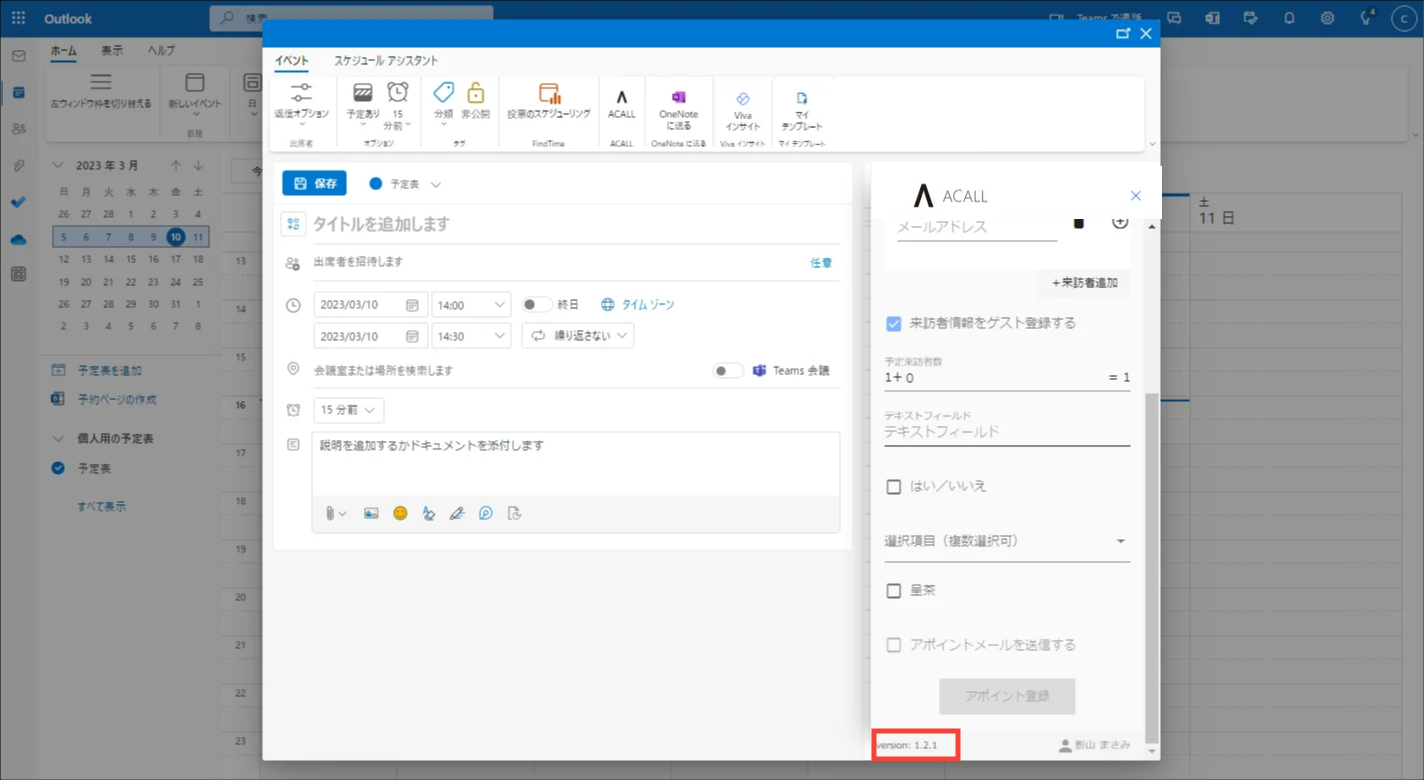
For the latest version of the add-ins, please check the "List of the Latest Versions of the Apps".
Update Acall Office add-ins in Outlook (Browser Version)
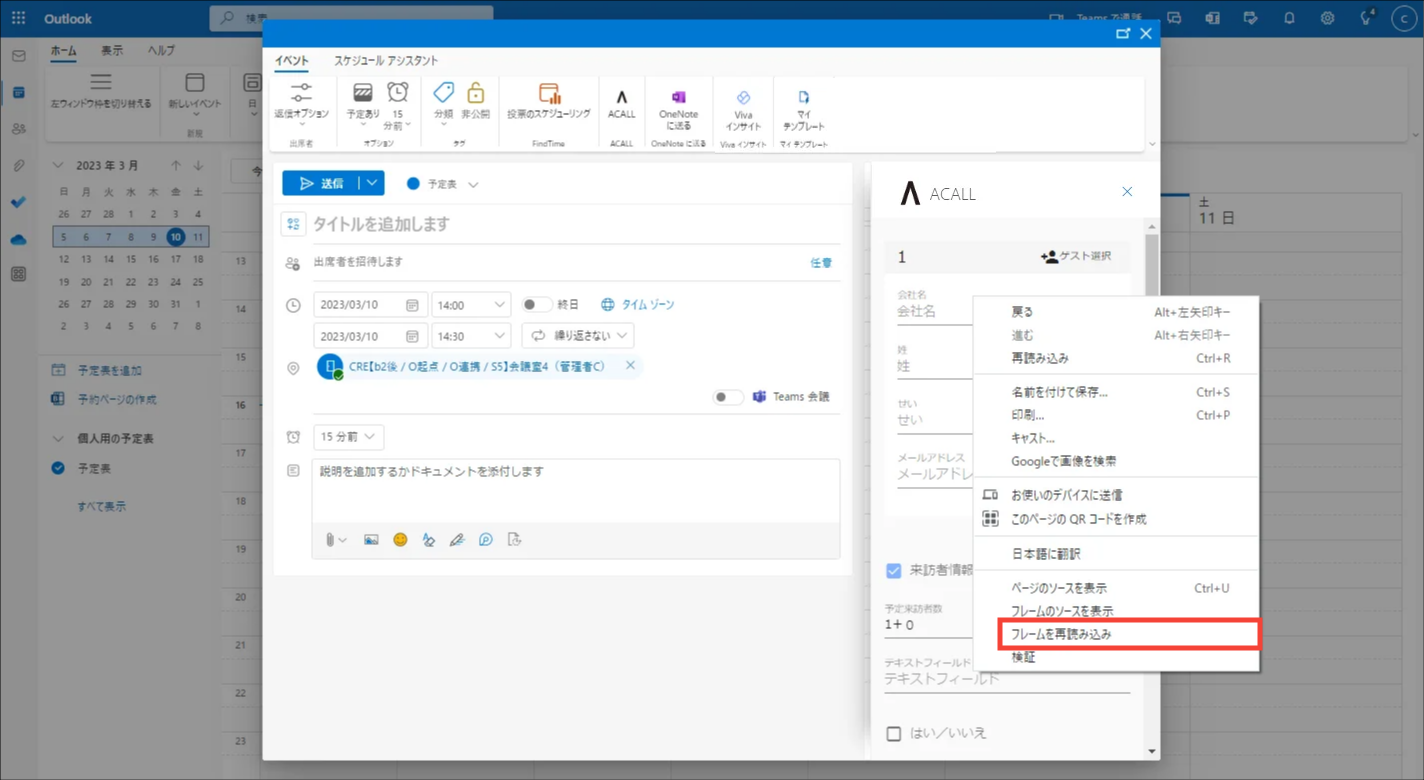
Right-click anywhere where the add-in is displayed and click [Reload Frame].
Update Acall Office add-ins in Outlook (Desktop App Version)
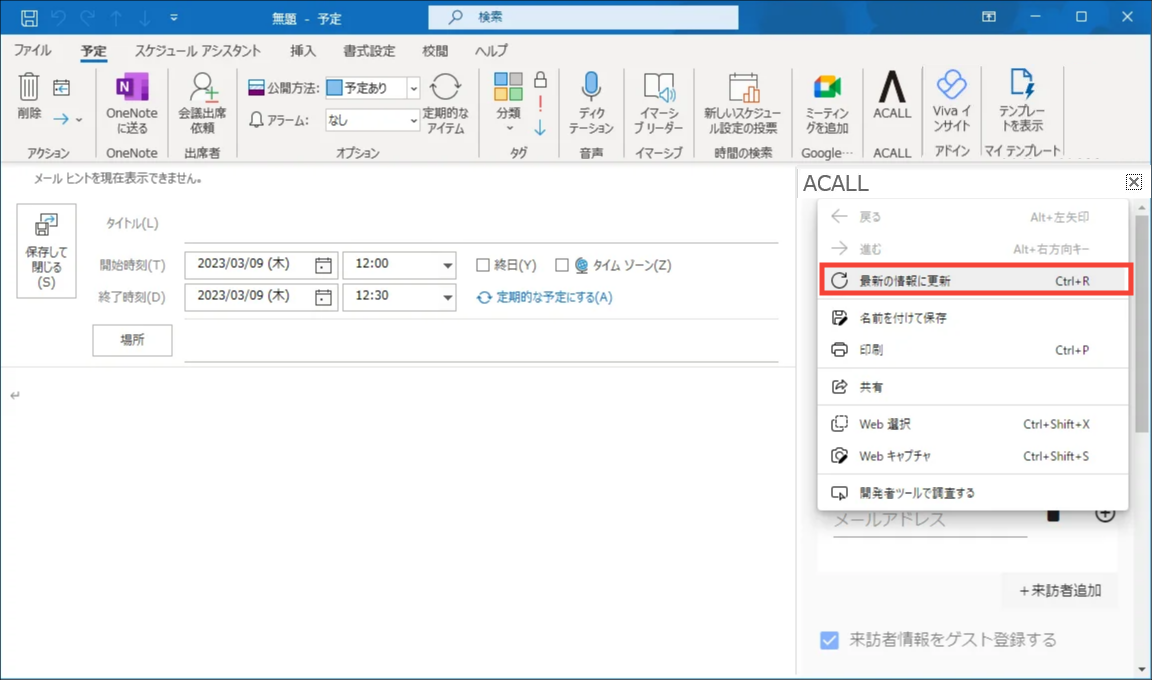
Right-click anywhere where the add-in is displayed and click [ Update to the latest information].