- Help Center > Spot Check-in / Acall Desktop > General User > Acall Mobile > Acall Mobile Account Settings
Acall Mobile Account Settings
- Category :
Answer
Contents
This page describes "Account Settings" for Acall Mobile.
Open account settings
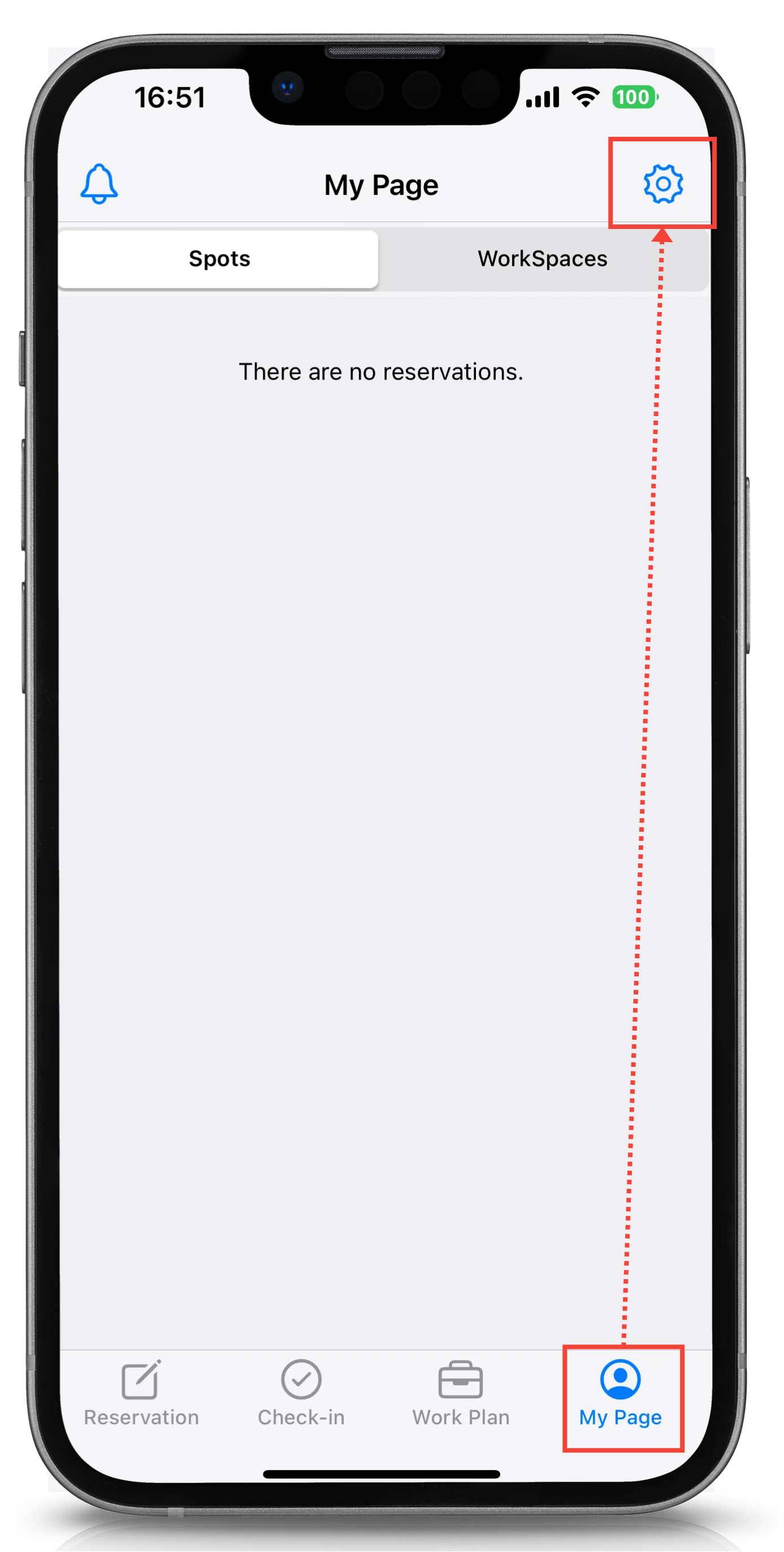
Tap [My Page] on Acall Mobile.
Tap the gear icon in the upper right corner to open Account Settings.
What you can do with your account settings
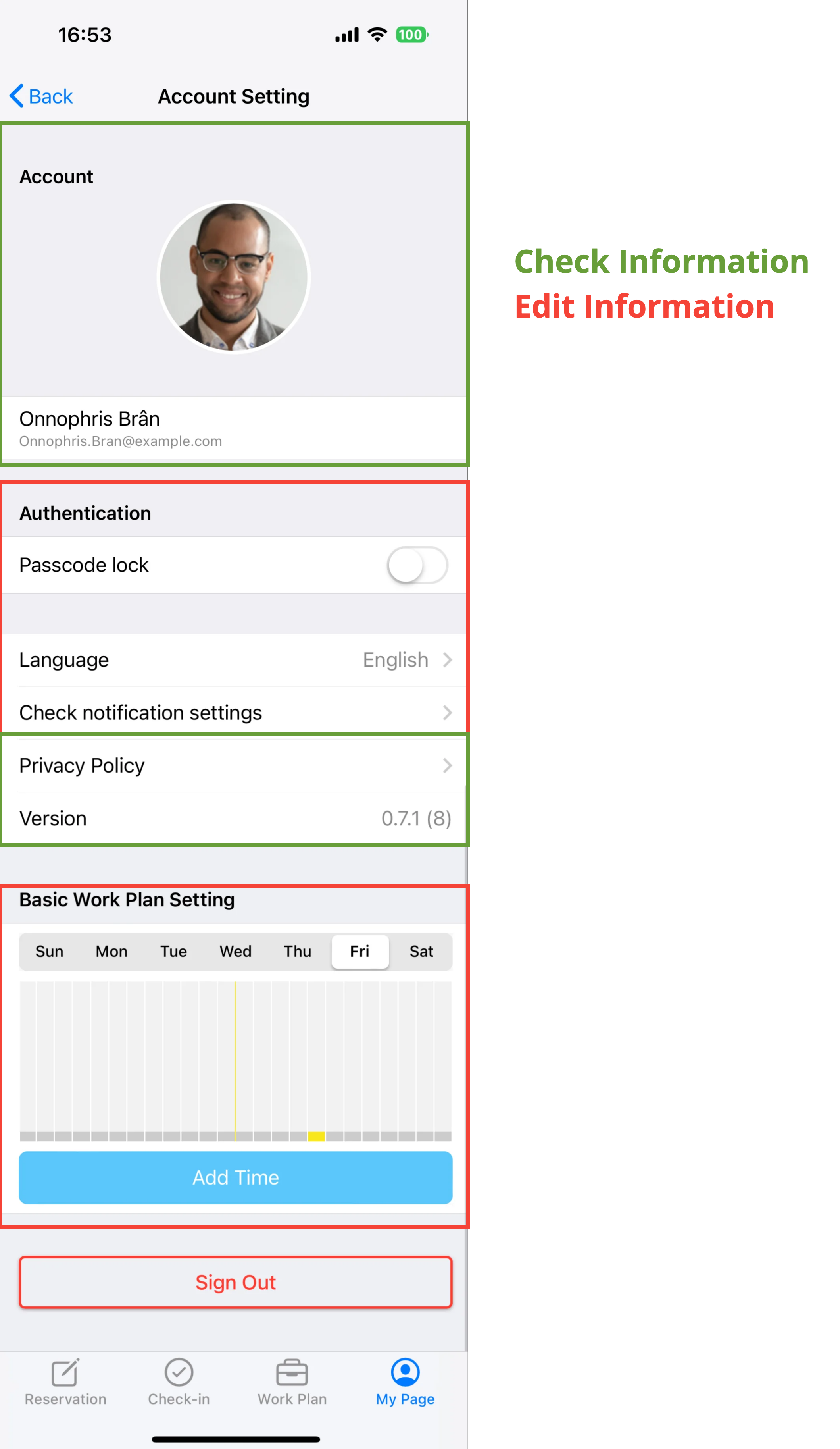
In the Account Settings, there are items where information can be checked and can be edited.
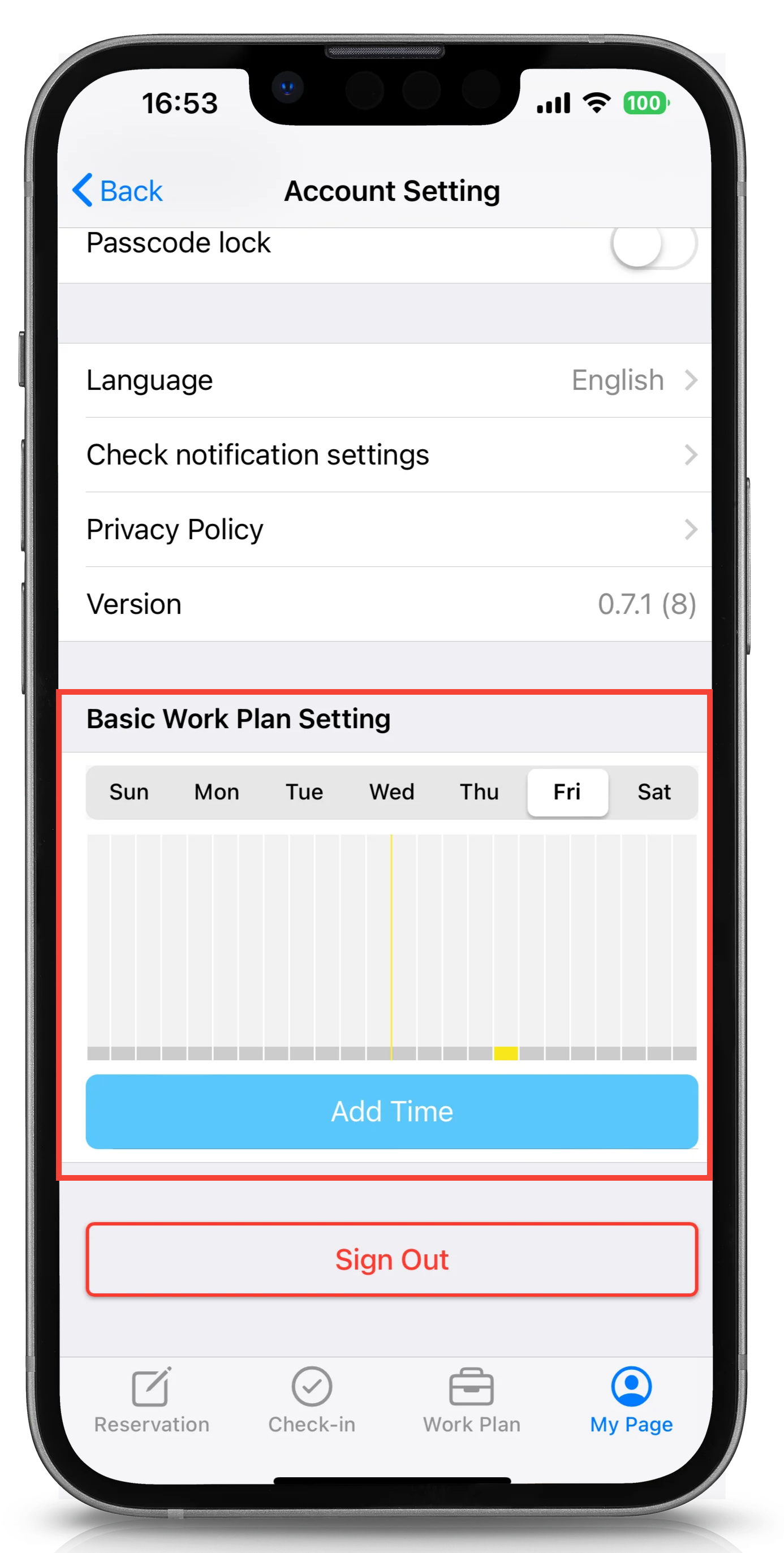
Check your notification settings
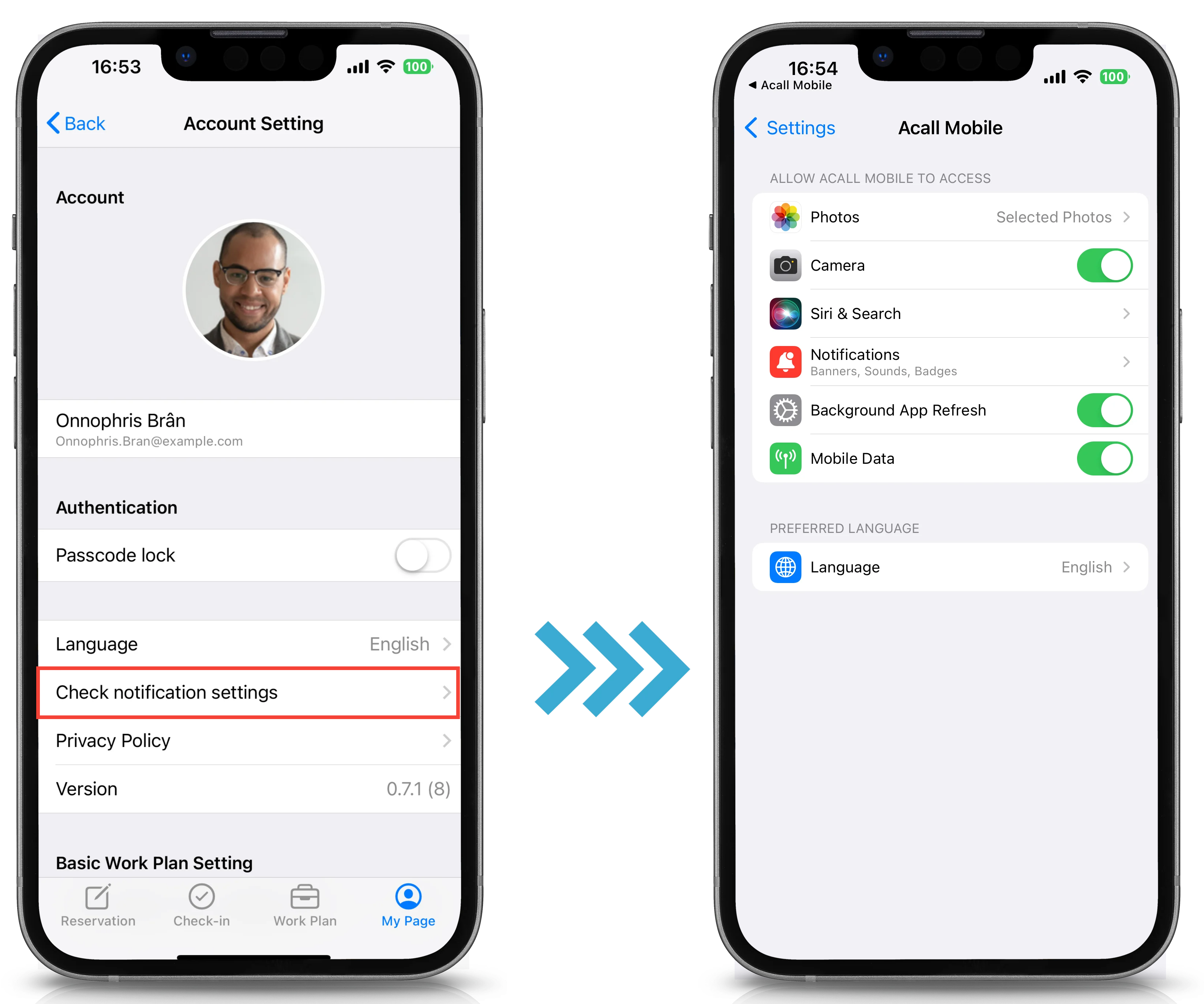
Tap [Check Notification Settings] to open your smartphone's system settings to check the settings for notification.
If you want to receive Acall Mobile notifications, please turn the setting ON.
 Note
The application settings screen will vary depending on your smartphone.
Basic Work Plan Setting
You can set up your work plan for each day of the week.
Please refer to "Set Your Work Plan on Acall Mobile" for information on setting up your Basic Work Plan.
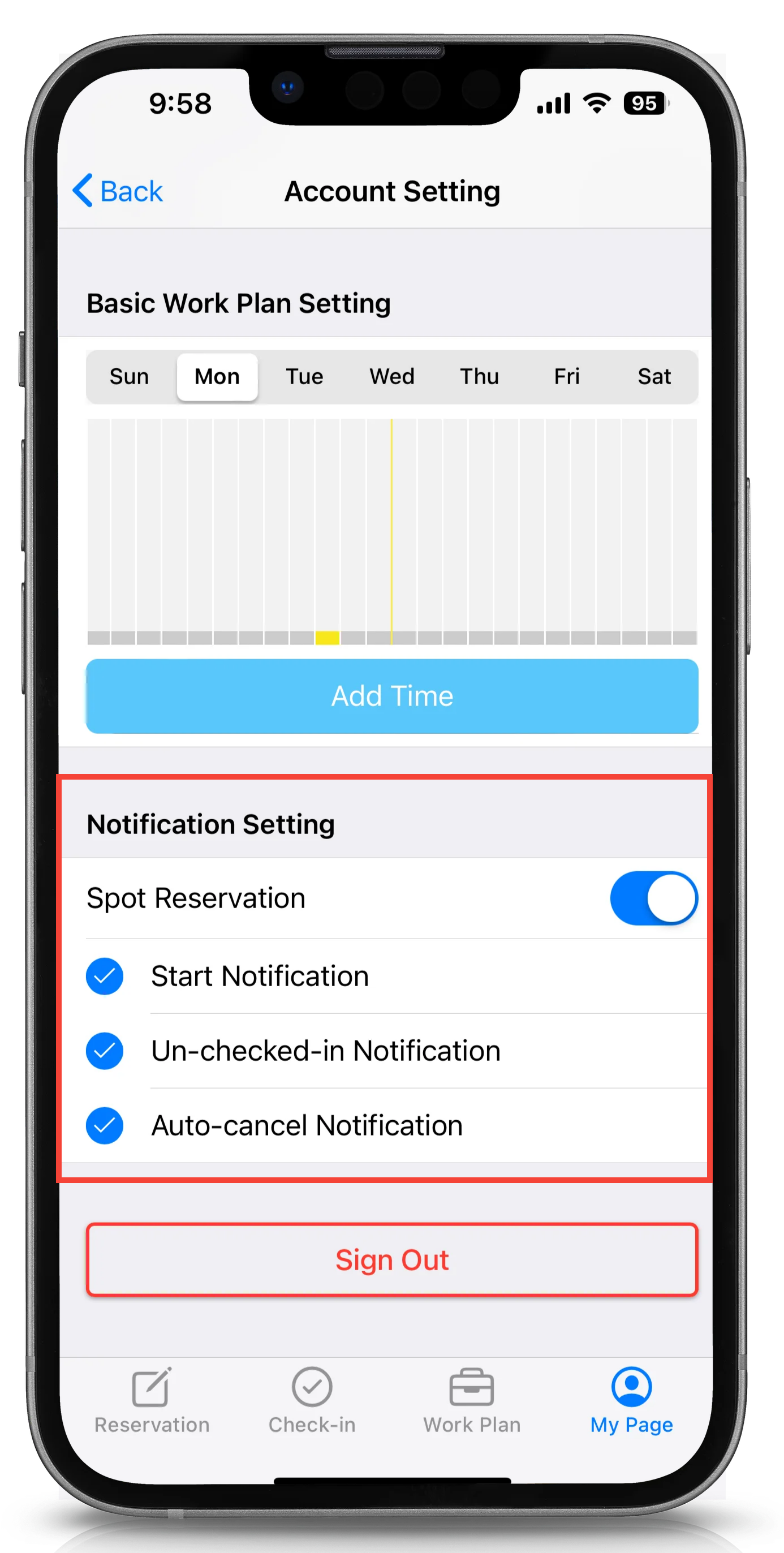
Notification settings
You can turn ON/OFF to receive spot reservation notifications from Acall Mobile when you use a spot, e.g. before the reservation starts.
For information on spot reservation notifications, please refer to "Receive Spot Reservation Notifications".