- Help Center > Meeting Room Check-in / Acall Meeting > Administrator > Acall Meeting App Settings (General) > Set Auto Cancellation Time for Meeting Room Reservations
Set Auto Cancellation Time for Meeting Room Reservations
Answer
By setting at least one check-in/out method for each workspace, the auto-cancel feature for the workspace will be enabled.
If the start/check-in operation is not done after the scheduled start time, the reservation will be automatically canceled, and the workspace will be released.
 Note
For details on check-in/out methods, please refer to "Register / Edit Workspace."
You can change auto cancel time to a custom duration, with the default set to 10 minutes.
This page explains how to change the auto cancel time.
How to set auto cancellation time
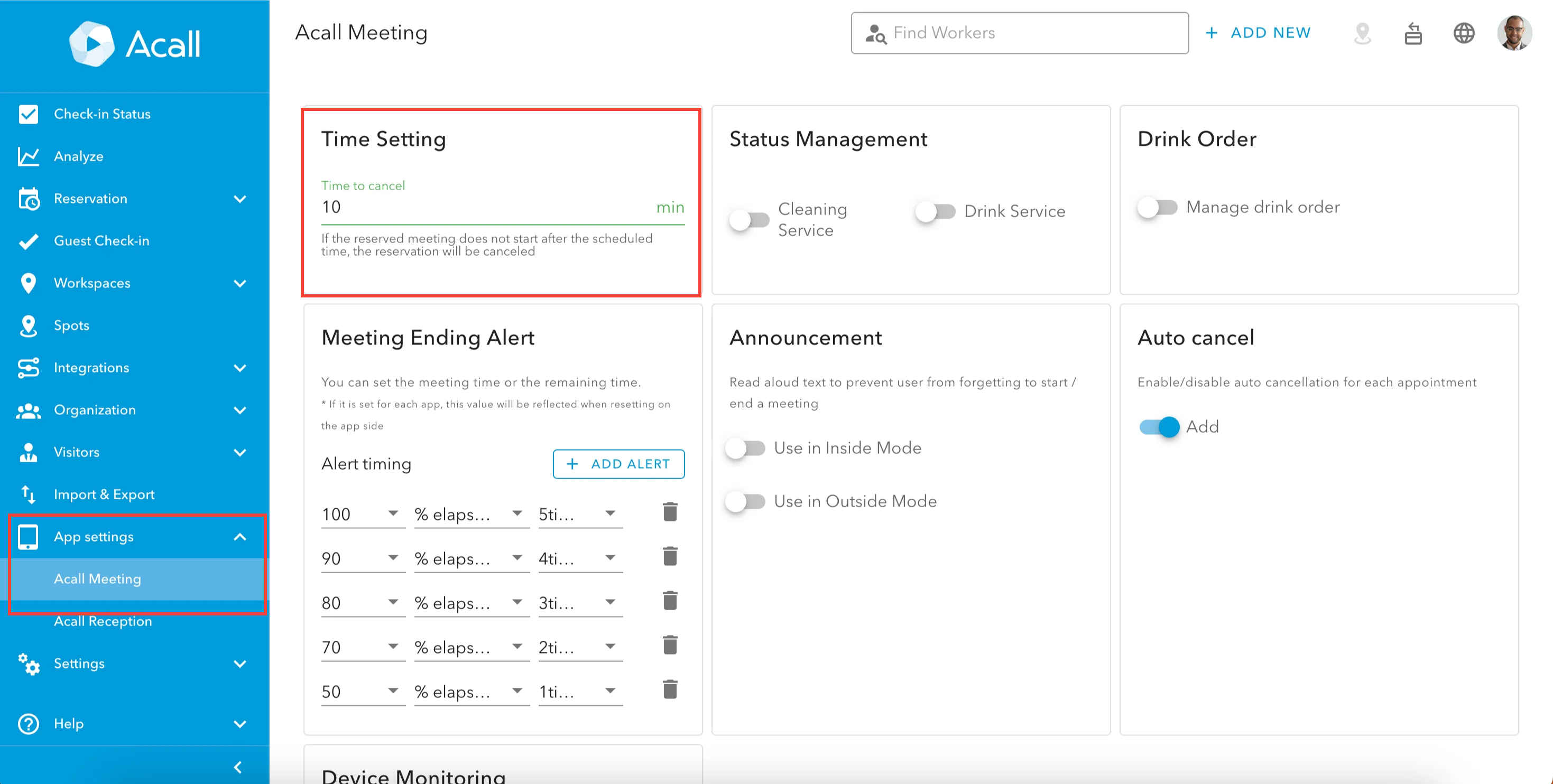
Click [App settings] in the side menu on Acall Portal and select [Acall Meeting].
Enter the time (minutes) to cancel reservation in [Time Setting] section and click [UPDATE].
Sample of cancellation notification
The following email will be sent to the person in charge (the meeting creator and the meeting participants) when the reservation is canceled.
=================================
From: Acall<notification@acall.jp>
Subject: Acall: Notification of automatic cancellation
The meeting was canceled automatically because the appointment has not started after the scheduled time.
Meeting Room: Meeting Room A
Time: Fri, 30 Aug 2024 18:45 ~ 19:00
-----------------------------------------------------
This is an automated email system at Acall Inc.
Please do not reply to this message.
-----------------------------------------------------