
- Help Center > Reception Check-in / Acall Reception > Administrator > App Settings > Set Up Personal Information Agreement Screen
Help Center
× General UserAdministratorTenant Administrator
Set Up Personal Information Agreement Screen
- Category :
Answer
Contents
You can obtain consent for handling personal information from visitors and manage visitors' information based on your company's privacy policy when using the visitor input function on the Acall Reception. The following are the steps how to set up information agreement.
Select for input information agreement
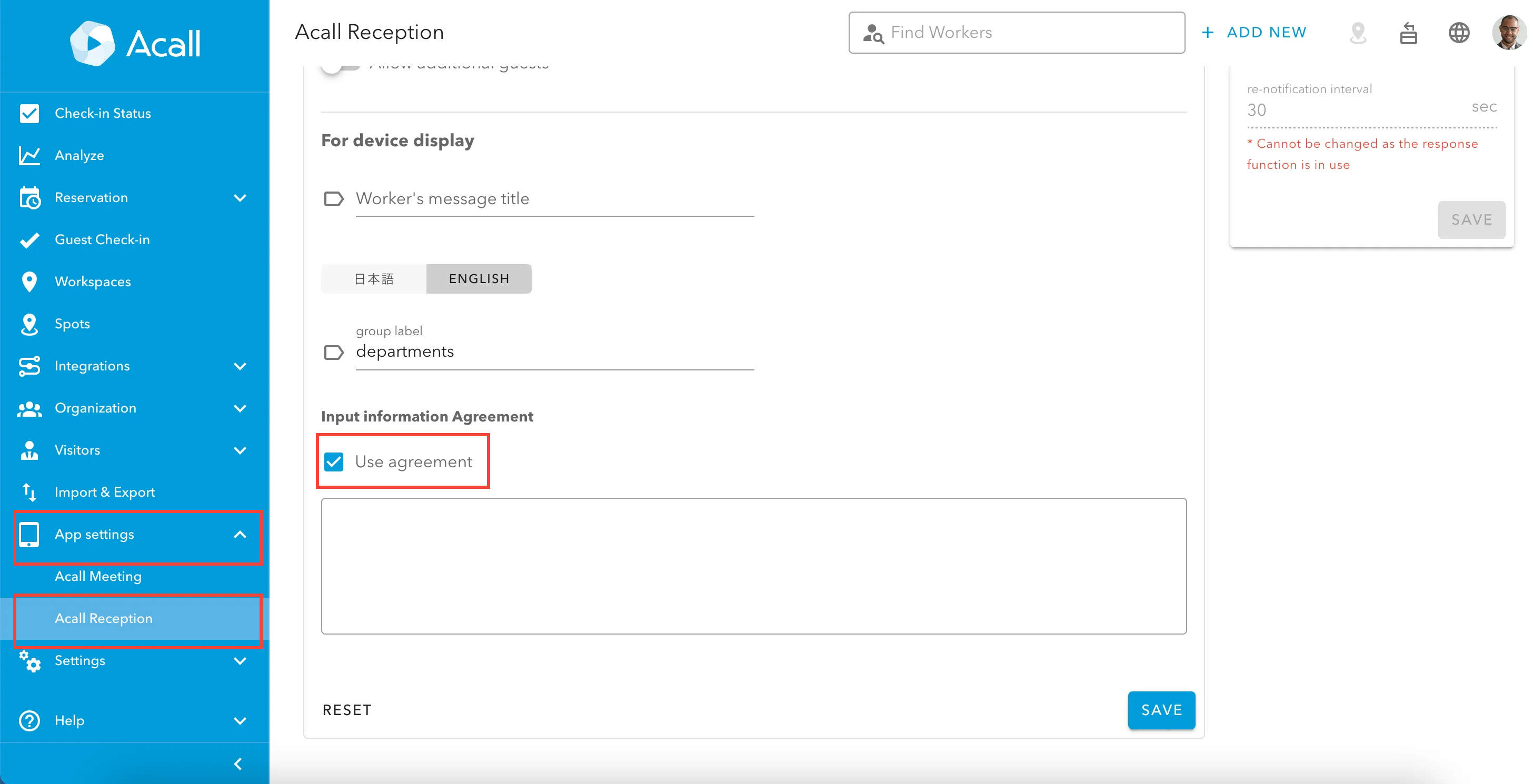
After logging in to Acall Portal, click [App settings] > [Acall Reception] on the side menu, check the [Use agreement] box in the Input information Agreement, and click [SAVE].
Enter the information about handling personal data
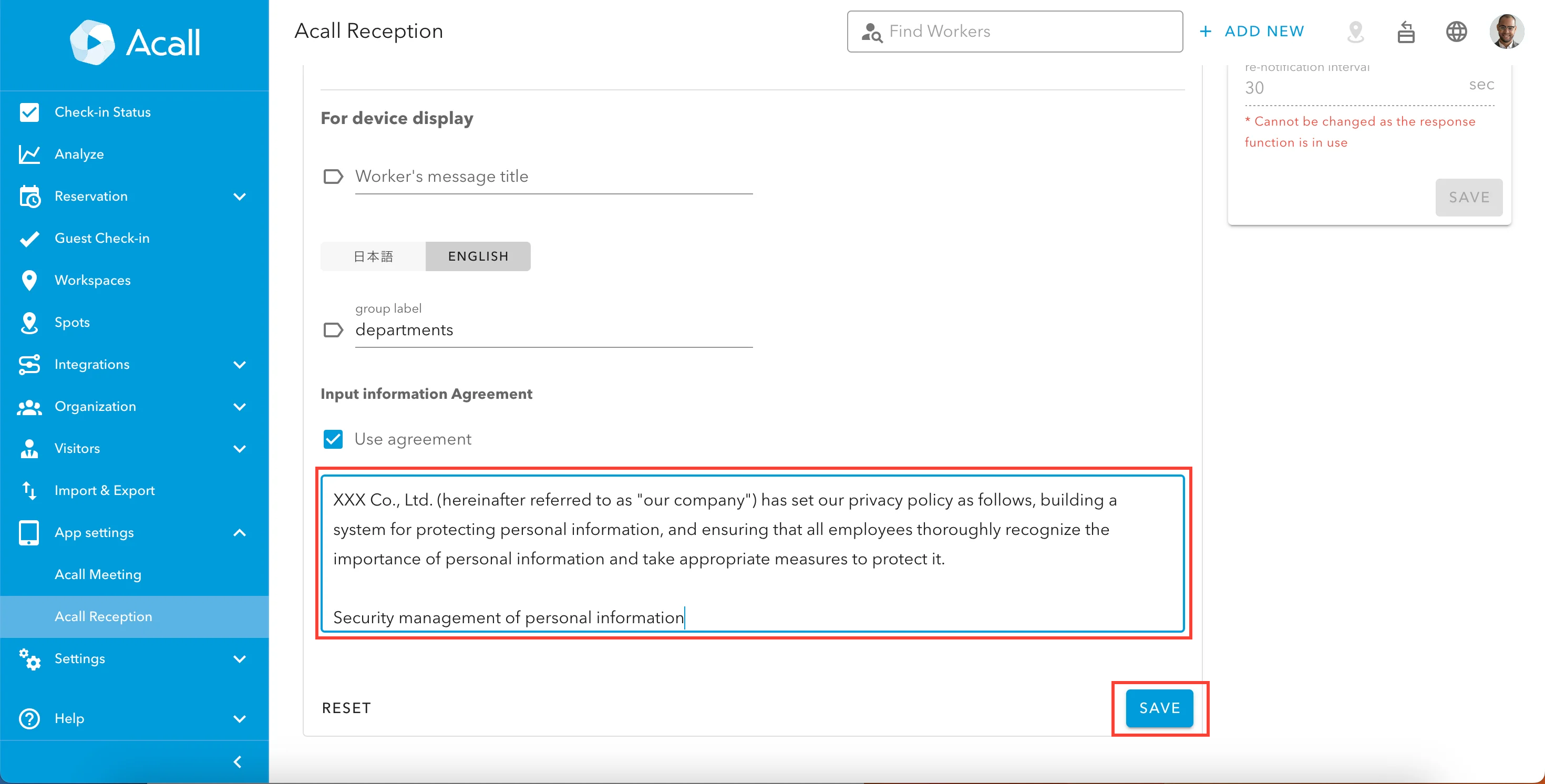
Enter the information about handling personal data. Click [SAVE] at the end.
Confirm the update on your iPad
Launch Acall Reception on your iPad and confirm that the consent agreement is displayed after inputting a visitor information.


