
- Help Center > Reception Check-in / Acall Reception > General User > Admission Card(How To Use) > Use Admission Card to Process the Exit
Help Center
General UserAdministratorTenant Administrator
Use Admission Card to Process the Exit
Answer
There are two ways below to exit the office. This page describes the former method.
- Guests (visitors) use the admission card to exit at Acall Reception (this page).
- Worker (person in charge) processes to exit the building in Acall Portal (What you can do on the Guest Check-in screen).
Prerequisite
Set up in the help pages below in advance.
Exit from the building in Acall Reception
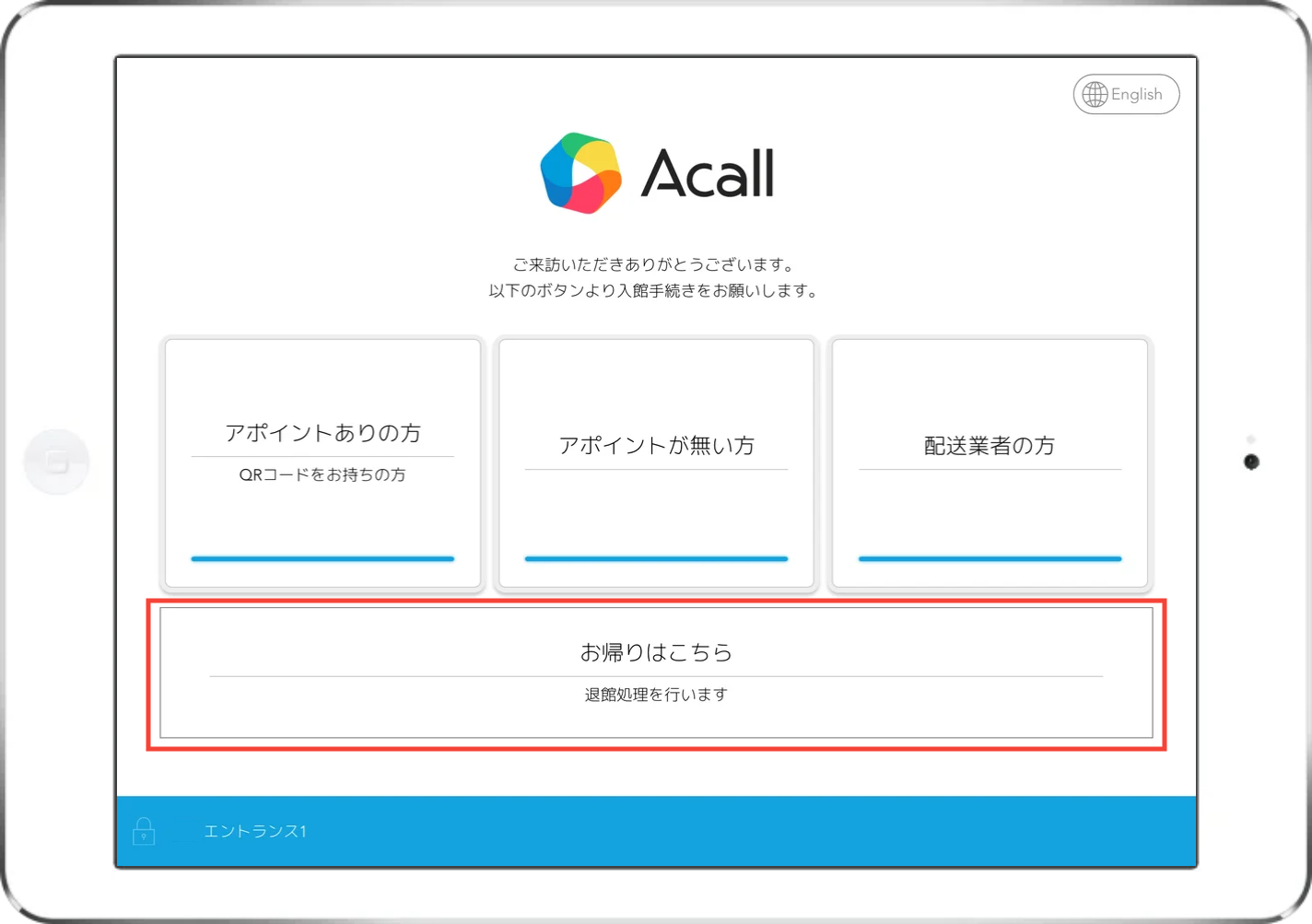
Tap the 'Exit' menu.
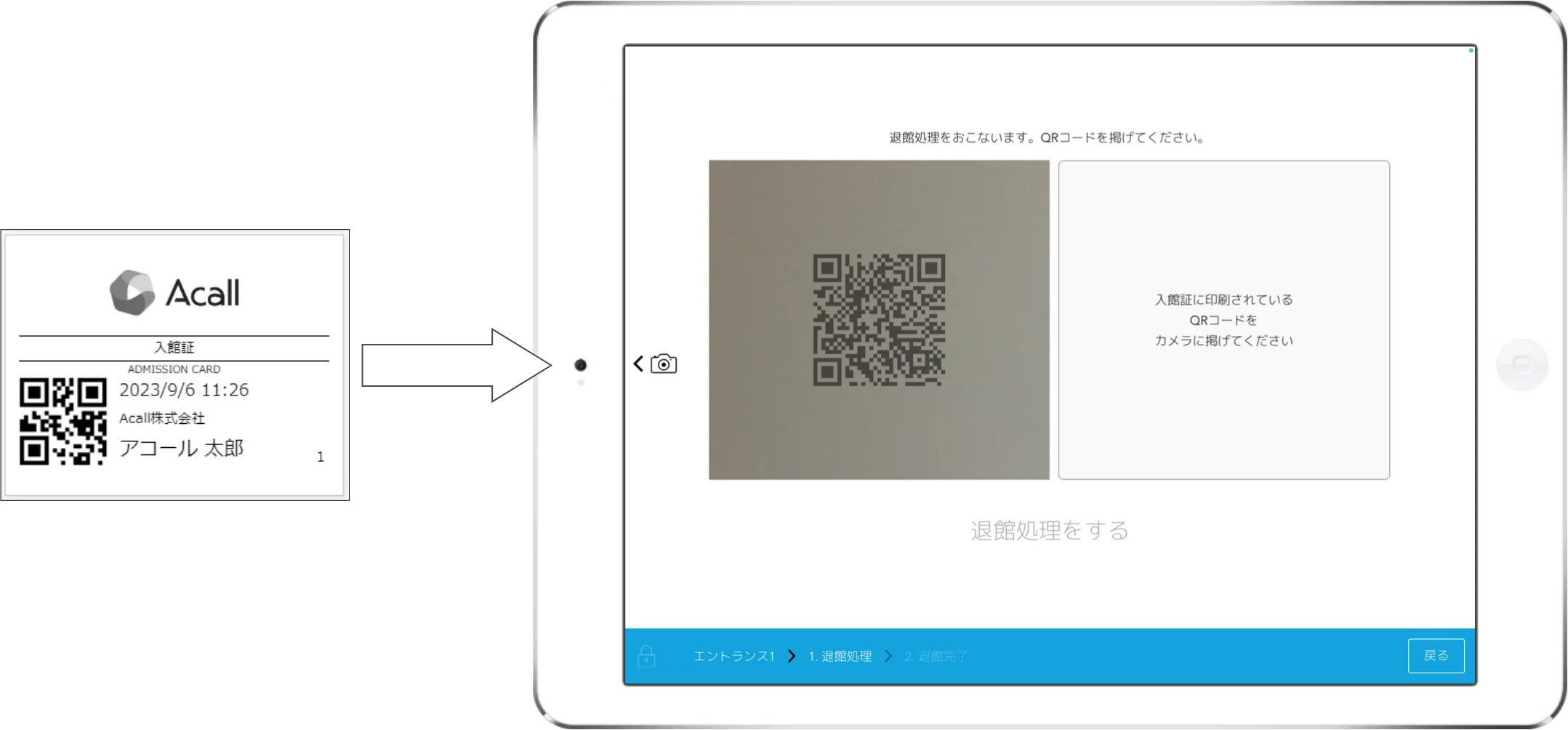
Hold up over your admission QR code.
Tap [for exiting the building].
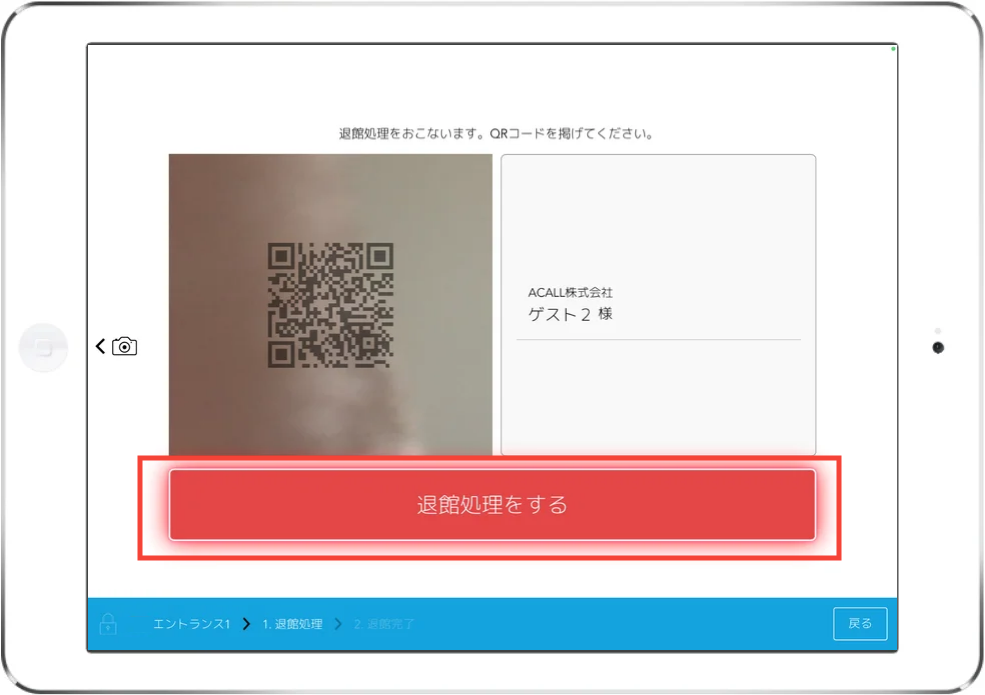
This is the end of the exit processing operation.
NOTE
・You can not edit appointments after exiting.
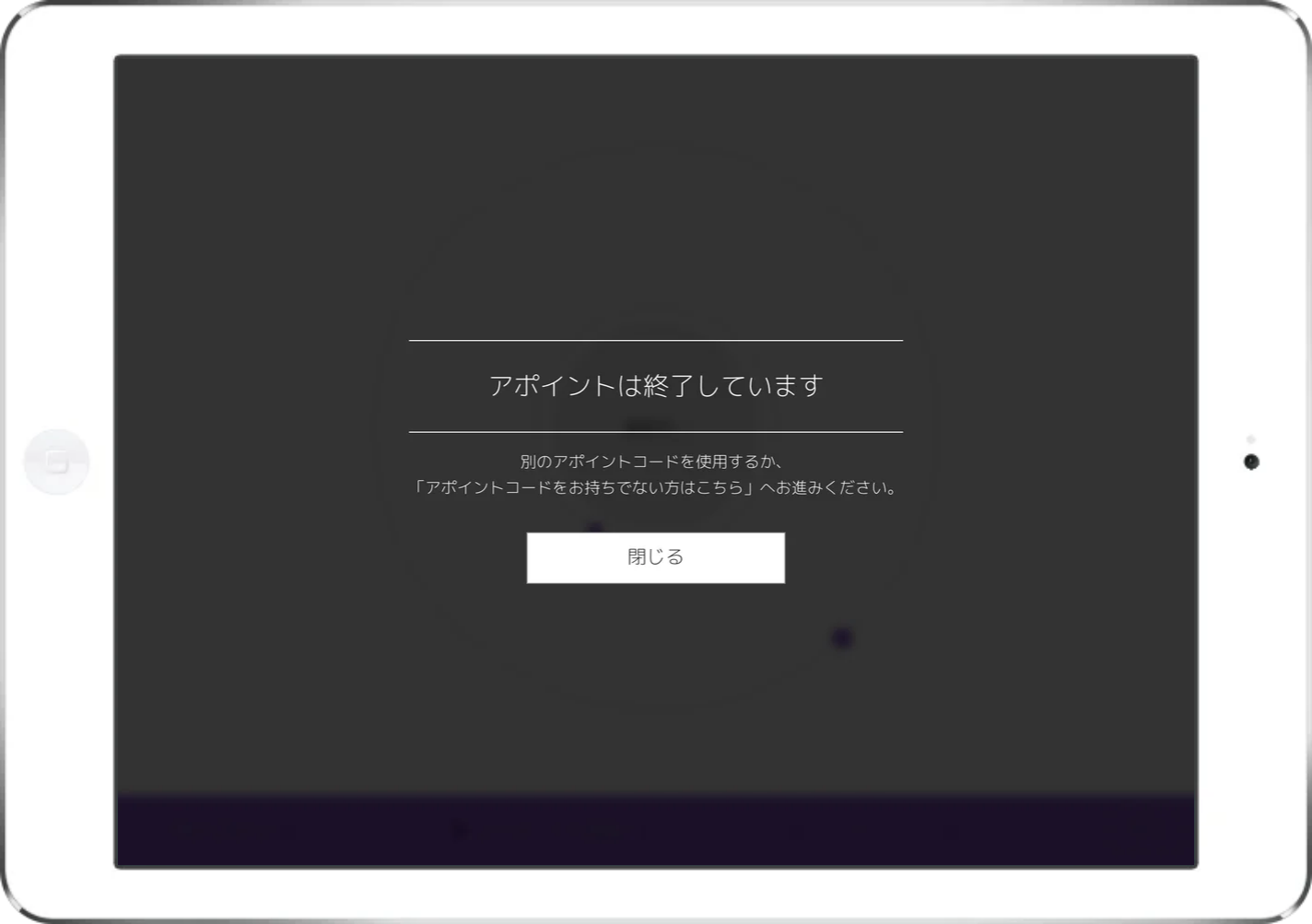
・The appointment code for the exit day can not be used after the  process.
"Please use another appointment code or proceed to
'If you do not have an appointment code, please click here'. will be displayed.
If you want to check the time of your exit, please check the guest check-in screen on the Acall Portal.
For detailed instructions, please refer to [Clocking in the exit time on Acall Portal] in Manage Entry / Exit Time.

