
- Help Center > Calendar Linking > Google > Acall Meeting > Acall Meeting Specifications for Google Calendar Linking
Help Center
Acall Meeting Specifications for Google Calendar Linking
- Category :
Answer
Contents
This page describes the specifications of how ENTER/EXIT (meeting start/end) and time extensions on Acall Meeting application are reflected in Google Calendar.
This page is for customers who use Google Calendar linking function.
Meeting extension
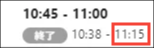
If you extend the time during meeting using the "+" button on Acall Meeting, the end time of the meeting will be extended on Acall Portal. In Google Calendar, the end time of the meeting will not be extended and a new meeting will be created for the extended time instead.

New title to be created is "利用延長(Extension of Use)".

The description of the schedule is "Acall Meetingからの延長利用(Extended on Acall Meeting)".

・ Schedule for the extended time will not be created in personal calendar.
・ The end time of the original reservation will not change in both personal calendar and meeting room calendar.
・ If you extend multiple times, new reservation will be created for each time.
Cancellation
There are 4 patterns in which a reservation can be cancelled by the Acall Meeting application.
- When the meeting is automatically cancelled without ENTER (Cancellation by system)
- When the meeting is cancelled by EXIT within 1 minute after ENTER
- If the meeting is cancelled by ENTER and EXIT before the scheduled start time
- When the meeting is started without reservation using Acall Meeting and cancelled by ENTER and EXIT within 1 minute
The following is how the schedule will be displayed on Acall and Google Calendar when meeting is canceled.
|
Guest Check-in |
Reservation > Workspace |
Personal Calendar |
Meeting Room Calendar |
|
| Auto Cancel |
Cancelled icon wll be displayed |
The schedule will disappear |
The schedule will remain |
The schedule will remain with strikeout |
|
Cancel meeting by EXIT within 1 minute after ENTER |
Cancelled icon wll be displayed. |
The schedule will disappear | The schedule will remain | The schedule will remain with strikeout |
|
Cancel meeting by ENTER・EXIT before the scheduled start time |
Cancelled icon wll be displayed. |
The schedule will disappear | The schedule will remain | The schedule will remain with strikeout |
|
Meeting is started without reservation and cancelled by ENTER and EXIT within 1 minute |
The schedule will not be displayed |
The schedule will disappear |
The schedule will not be displayed |
The schedule will remain with strikeout |


Reservation start/end/extension
The following is how meeting results such as start, end and extend in Acall Meeting are reflected in Acall Portal and Google Calendar.
|
Guest Check-in |
Reservation > |
|
|
| Actual ENTER time |
Reflected as actual time under scheduled time
|
Start time will be changed to the time you ENTER |
Start time will not be changed |
| Actual EXIT time |
Reflected as actual time under scheduled time (※)
|
Start time will be changed to the time you EXIT |
Start time will be changed to the time you EXIT |
|
Extend meeting with "+" button |
Extended time will not be reflected |
Extended time will not be reflected |
Original reservation time will remain and extended time will be added as new schedule. |


Participants' response in Google Calendar
When you ENTER/EXIT on Acall Meeting, meeting participants' response ("Yes", “Maybe", "No") to the invitation in Google Calendar will remain the same.

