- Help Center > Calendar Linking > Google > Create appointments/meetings on Google Calendar > Update Google Chrome Extension
Help Center
General UserAdministratorTenant Administrator× Outlook / Google Reservation× Acall Reservation
Update Google Chrome Extension
- Category :
Answer
This page explains how to check the current version of Acall Google Chrome extension and how to update to the latest version.
Note
Normally, it is automatically updated when Google Chome is relaunched. If it is not up-to-date due to browser cache, etc., you need to update it manually.
Check current Acall extension version
Current extension version is displayed at the bottom of the extension screen.
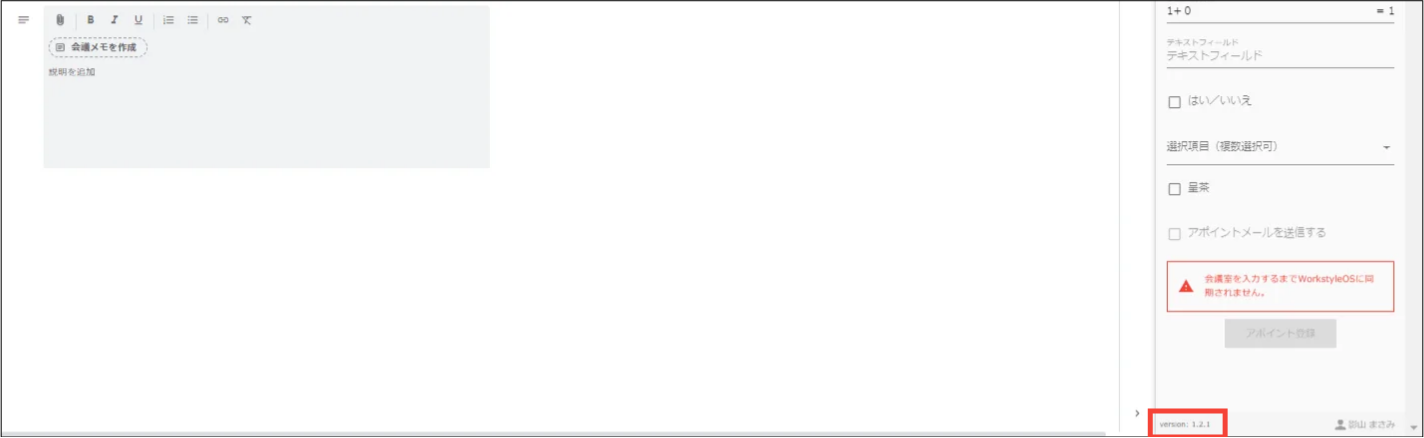
For the latest version of the extension, please check "List of the Latest Versions of the Apps".
Update Acall Chrome extension
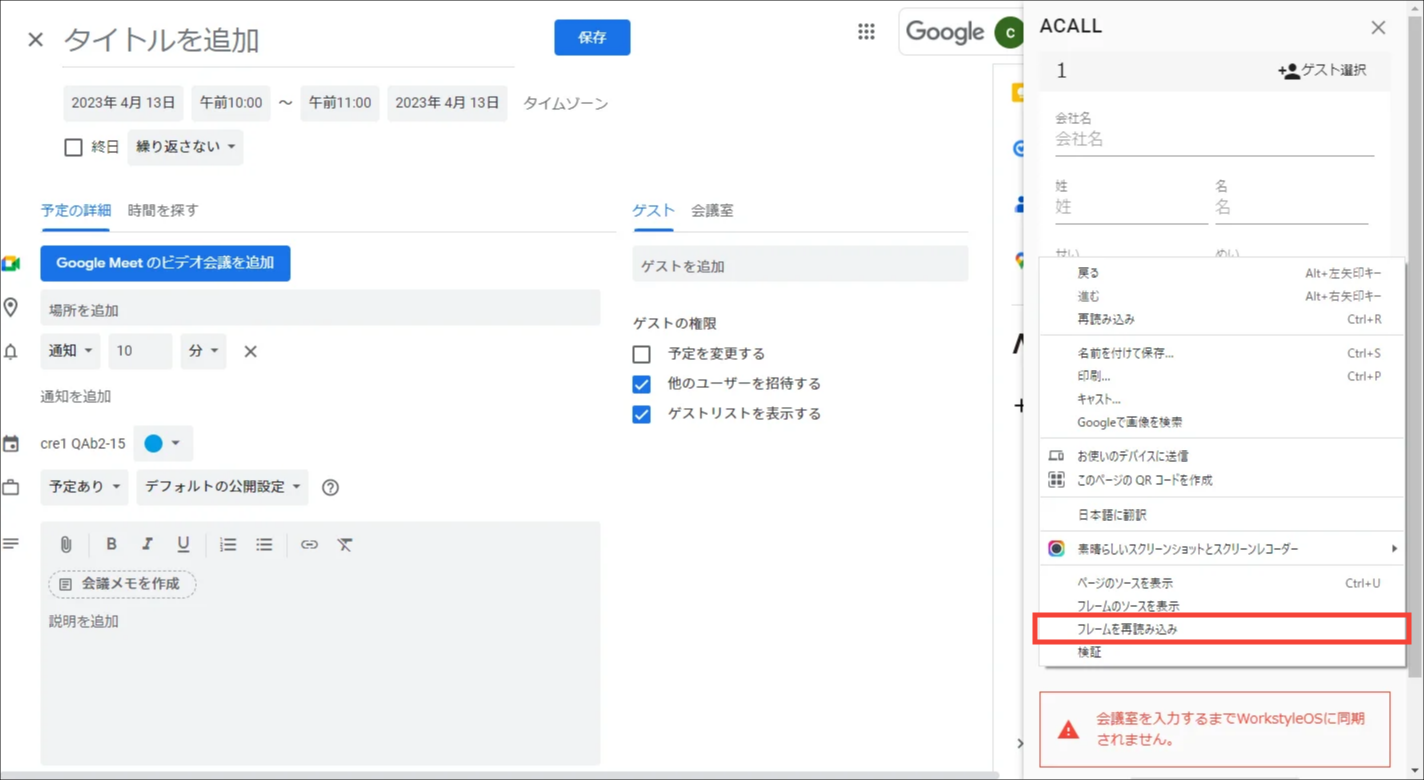
Right-click anywhere on the extension screen and click [Reload Frame].