
- Help Center > Calendar Linking > General > Others > Blocked Reservation
Help Center
Blocked Reservation
- Category :
Answer
This page explains specifications of blocked reservation and conditions to be blocked reservation.
 Note
This page is for the customers making reservations on Outlook / Google Calendar.
Blocked reservation
Blocked reservation is reservations that have Outlook/Google Calendar icon on Acall Portal.
Blocked reservations are different from regular reservations and that they are not available for all of Acall functions.

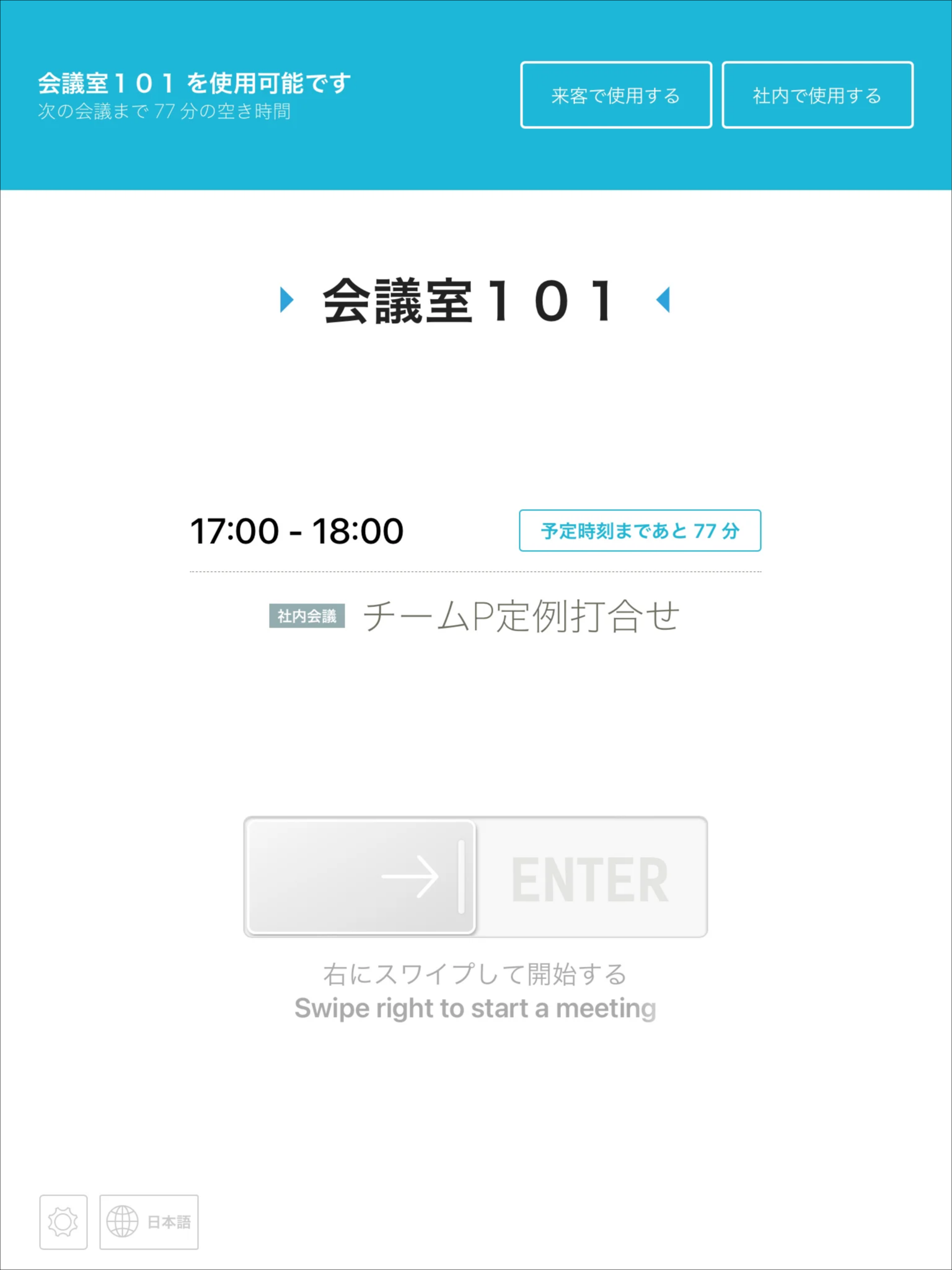
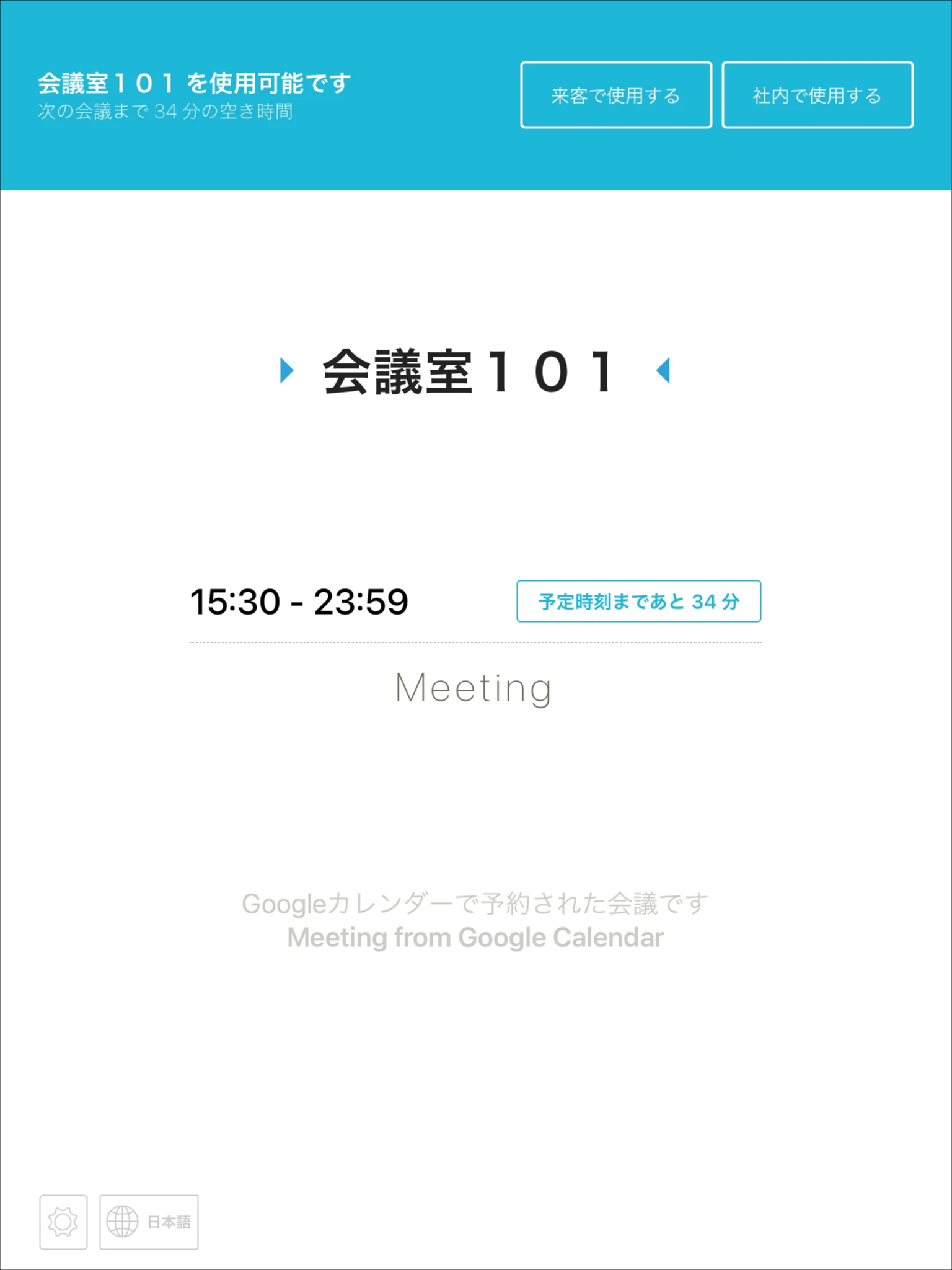
In case of blocked reservation, ENTER button is not displayed on Acall Meeting.

Conditions to be synced as blocked reservation
If reservation is created on Outlook / Google Calendar that meets any of the following conditions, such as worker settings or the reservation method, it will be synced with Acall as a blocked reservation.
Incorrect setting on worker information
| No. | Condition to be blocked reservations | Workaround |
| 1 |
The worker who created reservation on Outlook / Google Calendar is not registered in Acall. |
Register workers on Acall |
| 2 |
The worker exists on Acall, but Outlook / Google account is not registered. |
Register Outlook / Google account with the worker on Acall. |
| 3 |
Outlook / Google accounts registered with workers on Acall have typos. |
Edit worker information and correct Outlook / Google account. |
Please refer to the following page for instructions on how to link Outlook / Google accounts to workers.
・Connect Workers with Outlook Calendar
・Connect Workers with Google Calendar
Reservation creation method corresponds to the following
| № | Condition to be blocked reservations |
Workaround |
| 1 |
Reservations created across dates on Outlook / Google Calendar (e.g. 2022/04/01 21:00 - 2022/04/02 08:00) |
Do not create reservations across dates |
| 2 |
When the organizer of the reservation is not a user but one of the following ・Meeting room |
Make the organizer of the reservations a user |
| 3 |
(Google Calendar only) |
Do not create reservations as "Focus time" |
| 4* |
(Google Calendar only) |
Create a reservation in the user's default calendar |
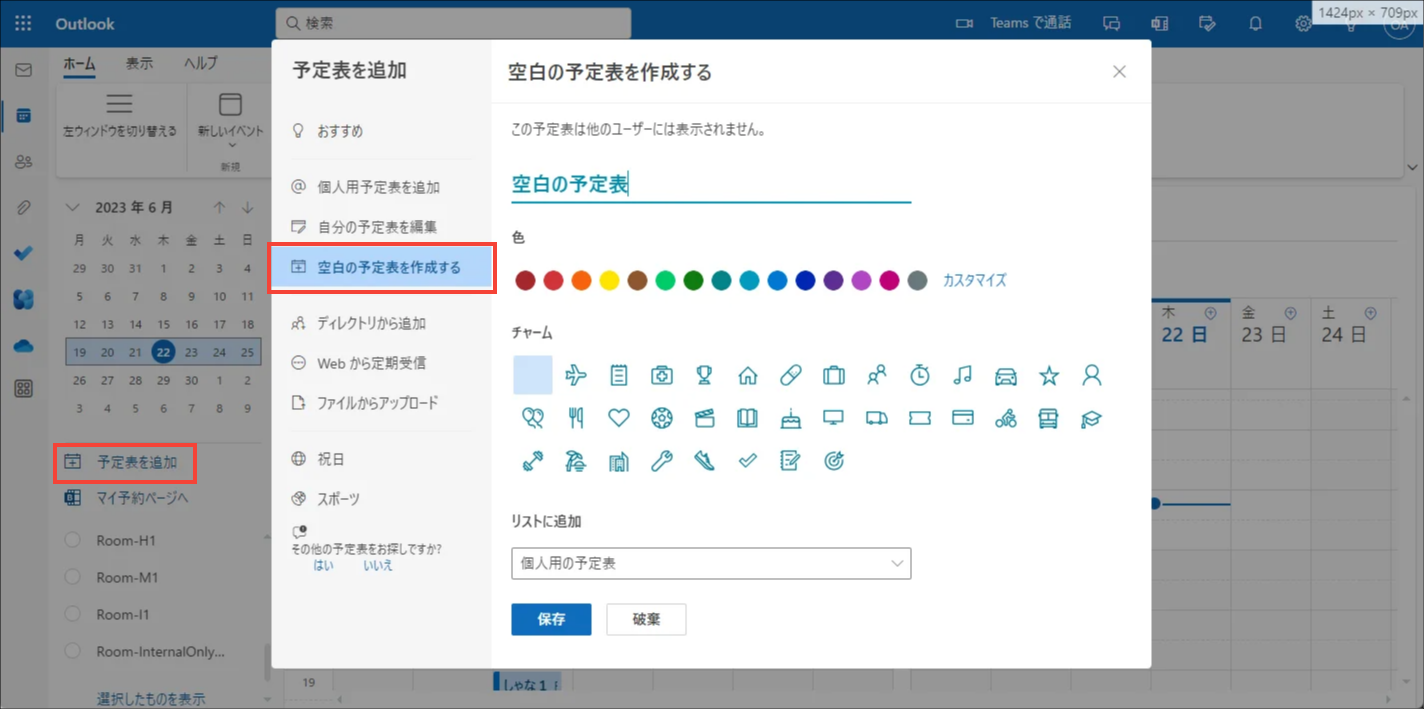
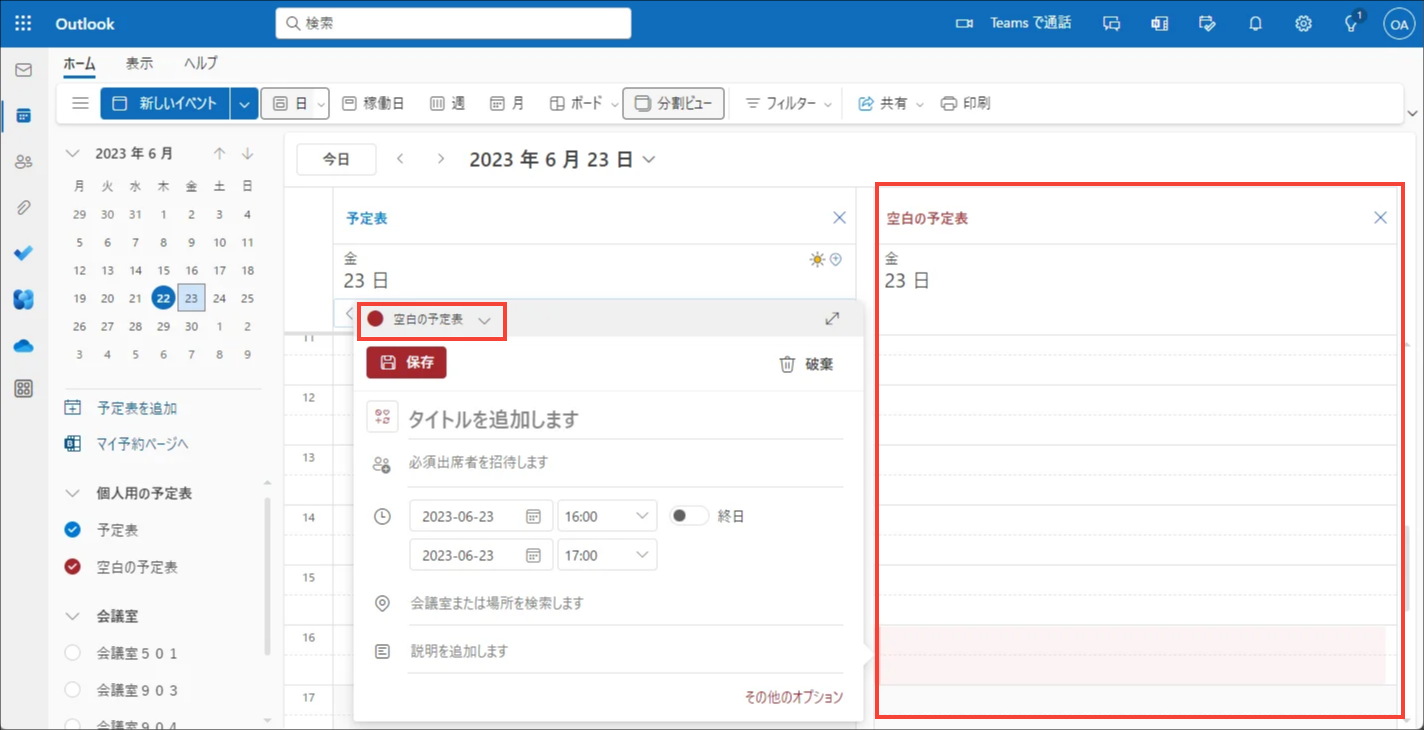
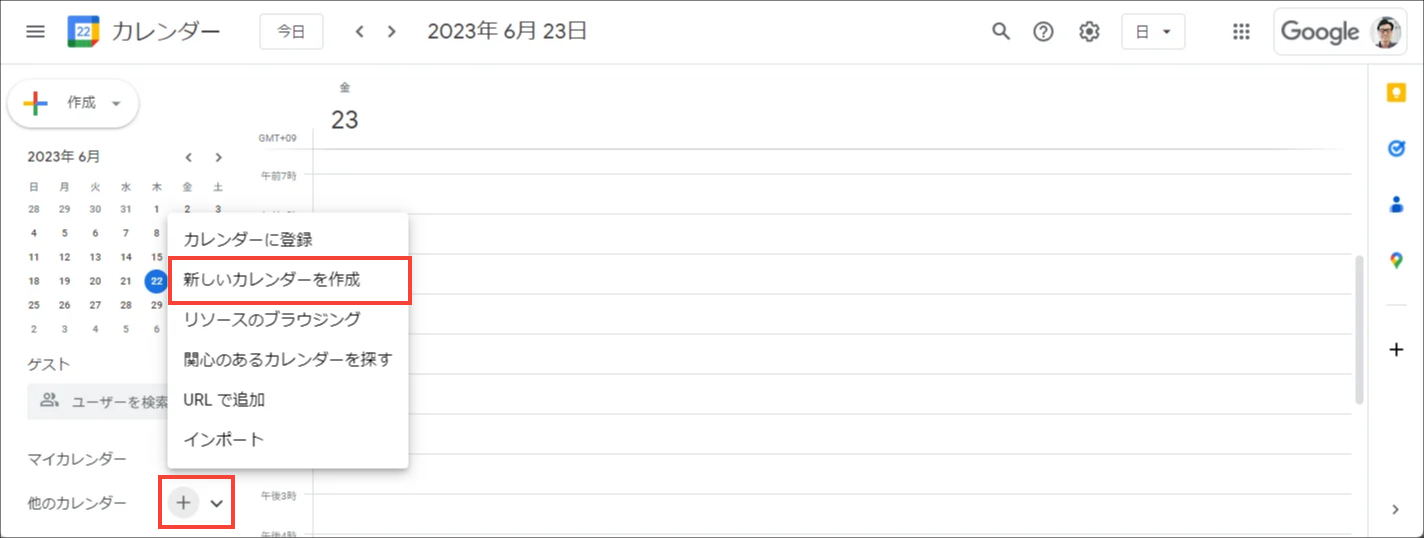
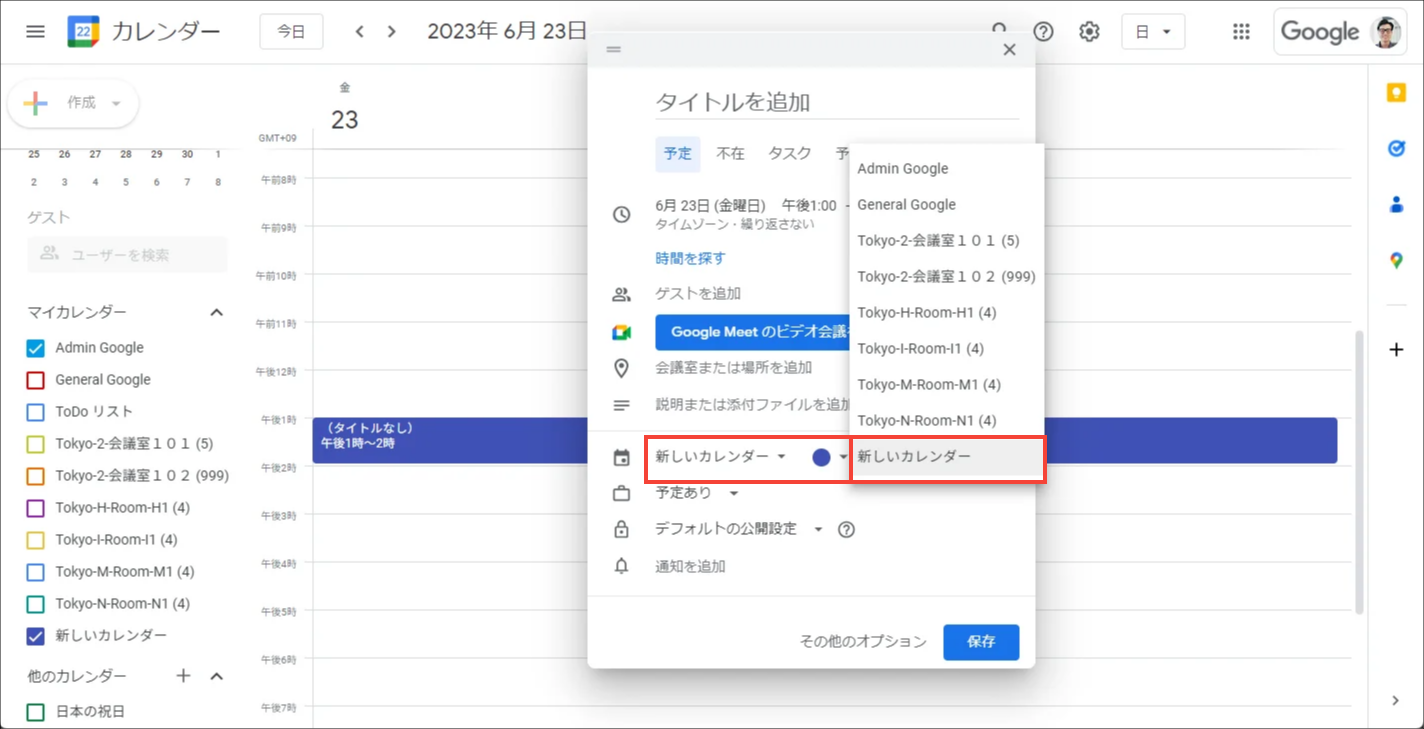
 Note for No.4
Do not make a meeting room reservation in these calendar.

Outlook: "Create a blank calendar" → Reservations will not be synced.


Google: "Create a new calendar" → Reservations will be synced as a blocked reservation.
Incorrect link setting between Acall and Outlook / Google Calendar
| No. | Conditions to be blocked reservations |
Workaround |
| 1 |
One Outlook / Google account is linked to multiple companies on Acall. |
One Outlook / Google account should be linked to only one calendar integration. |
Even if you work around, the reservations that have already been synced as blocked reservations will remain the same.
Difference between regular reservations and blocked reservations
Blocked reservations are different from regular reservations in terms of visibility and other specifications.
| Item | Regular reservations | Blocked reservations |
|
Issue appointment code using Acall add-in |
Appointment code (QR・number) is generated |
Appointment code (QR・number) is not generated |
|
"Send an Reservation Email" from Acall add-in |
Email is sent to the guest. |
Email is not sent to the guest |
|
Acall |
Reservation is displayed in "My future schedule" |
Reservation is not displayed in "My future schedule" |
|
Acall |
You can click and edit the reservation |
You can not click or edit on the reservation |
|
Calendar and key icons will not be displayed on the reservations
|
Calendar and key icons will be displayed on the reservations
|
|
|
Acall |
Reservation is displayed |
Reservation is not displayed |
|
Acall |
Reservation ID will be exported |
Reservation ID will be exported as "C" + id of the blocked reservation Example: C310891938 |
|
Acall Meeting |
ENTER button is displayed
|
ENTER button is not displayed
|
| Auto-cancel is available |
Auto-cancel is unavailable |
|
|
Acall Mobile |
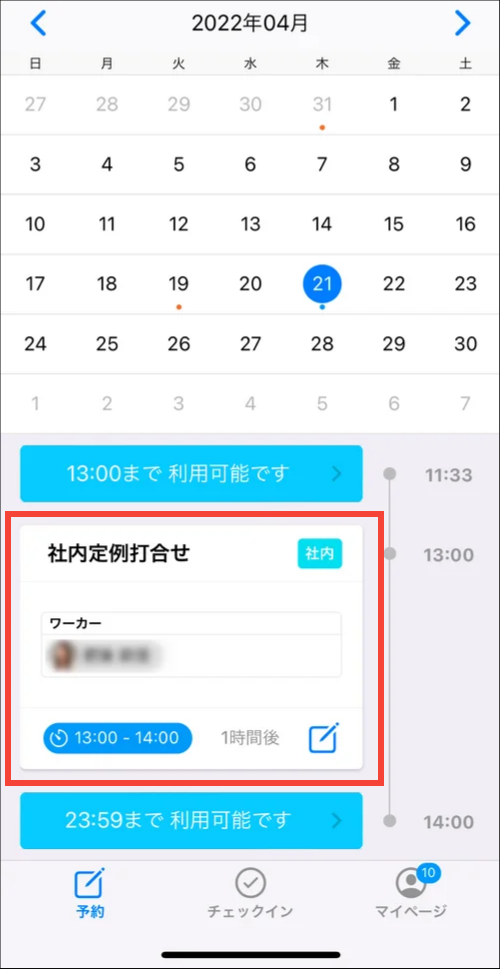
Title and participants are displayed
|
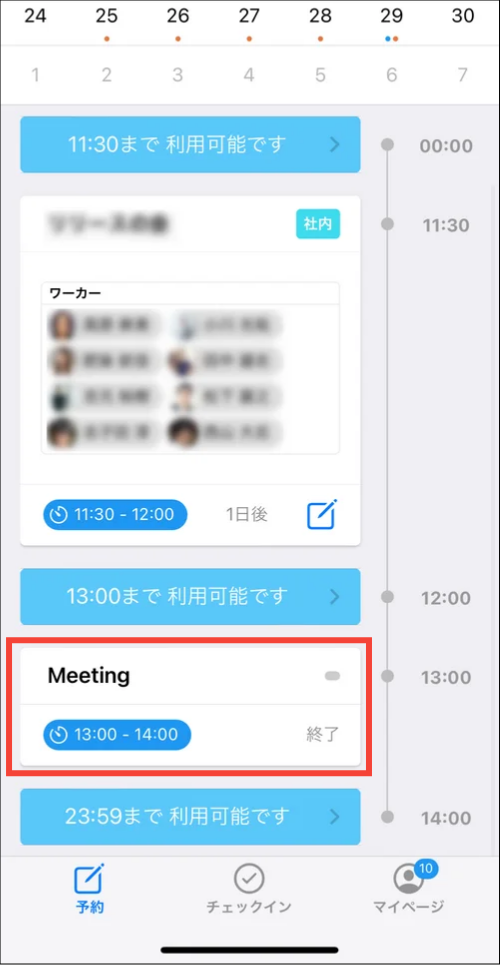
Title will be "Meeting" and participants are not displayed
|
|
Synchronization timing from external calendar |
Immediate |
Once every 5 minutes |


Blocked reservations will be displayed and can be operated the same as regular reservations in Outlook / Google Calendar.
FAQs about blocked reservation
Q. Is the reservation with lock icon blocked?
A. If a reservation has lock icon, it is a private schedule and not blocked.
Private schedule can not be edited by other workers.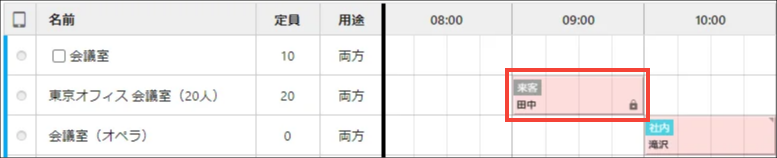
Q. Reservations that do not meet the conditions to be blocked are being blocked. Why?
A. If Outlook/Google Calendar is not successfully synced with Acall due to some problem, it will also be synced as a blocked reservation.
In this case, you can edit it on Outlook/Google.
Q. Why do you sync a reservation to Acall as a blocked reservation? If it is not a valid reservation, shouldn't it not be synced?
A. Even if the reservation is blocked in Acall, it is still properly reserved in Outlook/Google Calendar and you can not register a duplicate reservations in those external calendar. In this case, to prevent the difference between the availability of workspaces (meeting rooms) in Outlook/Google Calendar and Acall, the reservation will be synced to Acall as blocked to prevent duplicate reservation (double booking).
Q. I have blocked reservations on Acall, but there are no reservations left in Outlook / Google Calendar so I can not delete them. How can I delete?
A. Acall will delete the reservations. Please contact us using the contact form with the following information.
・Title of the reservation
・Start and end date and time of the reservation
・Reserved meeting room/equipment
・E-mail address of the person who created the reservation
Q. Will a reservation created on Acall or Acall Mobile also be blocked reservations?
A. No. Blocked reservations will occur when you create reservations on Outlook / Google Calendar, and it will not occur when you create reservations on Acall Portal.

